
Storage is cheap, so we don’t have to worry about data storage costs. Though this might be true, at some point, a lot of data will start to cost a lot of money. And, like many of you, dear readers who are in business intelligence, we like to duplicate data. A lot. We ingest it, transform it, put it into a star schema, and create data mart tables to provide a single point of truth for the report users.
Years ago, when we were all on-premises, creating ETL processes for the report users, we had to discuss more disk space with the database people. These people then had to talk with the SAN people to give them more space for both the data files and the backups, who in turn had to go to management to ask for funding for new hardware to fulfil this request.
Management would hum and mutter about the cost, not realising that it all came from their requests for more reports.
The big promise of the cloud is that these discussions are no longer necessary; the cloud can scale into infinity, and you only pay for what you use. Which is essentially true, but there’s no need to take this as a blank cheque to store as much data as you want. Because a lot of data will, at some point, become very expensive. And management will start asking questions. And they will find you.
Get data from the source.
I keep getting pulled back into the discussion on extracting data from the source. Whatever the source is, in my opinion, you should extract only once. If you have multiple environments (dev, test, QA, prod, etc.), I still think you should extract only once and then distribute this extraction over the other environments. Or, in other words, make sure this single extraction is the source for all these environments, with different permissions, of course! Or, even better, create a process that loads anonymised subsets of data to the dev and test environments.
A better alternative?
Could this extraction be engineered differently? Why move data when its current location suffices for the subset you need? In other words, why ingest data (and store it) when you can just read and process it?
Microsoft Fabric offers this option with the name shortcuts.
Shortcuts.
You can compare it to a shortcut on your desktop; it’s not the application stored there, just a pointer to the executable’s location. The same goes for a shortcut in Fabric; it’s not the data that is stored in OneLake, but a shortcut to that data.
Let’s see how this works!
Create a new shortcut.
In this example, I’m using my lakehouse.
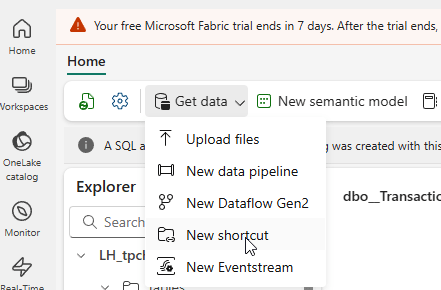
When you click on New shortcut, a small wizard will appear, giving you several options.
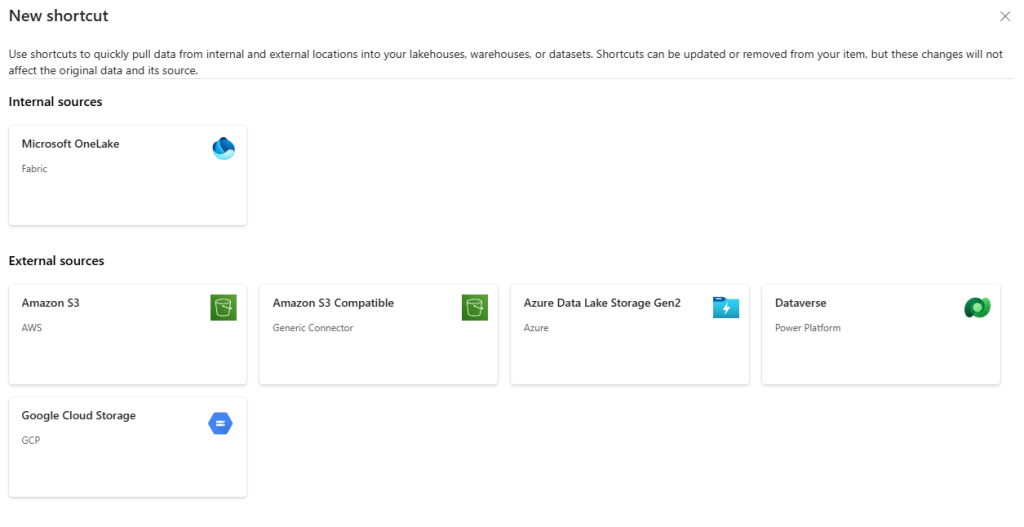
As you can see, you can read from OneLake. A use case for this is getting data from a different workspace into the current lakehouse without duplicating the data.
You can read data from Amazon S3 and compatible, ADLS Gen2, Dataverse and Google Cloud Storage.
Let me create a shortcut to an ADLS Gen2 storage account so I can click on the icon to proceed to the next step.
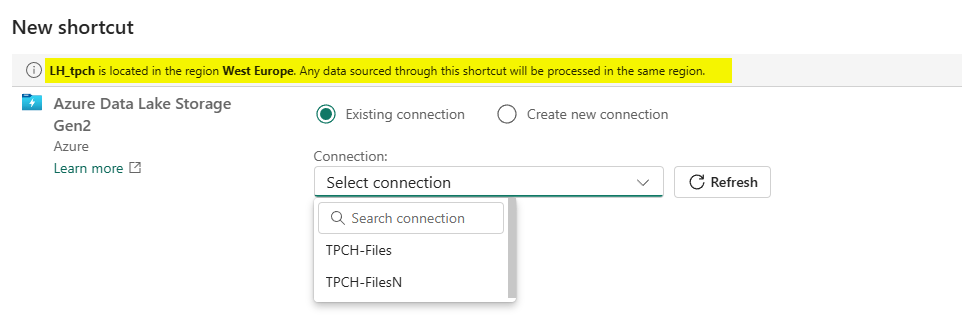
I’ve highlighted an informational line about the lakehouse’s location. This means that when you start reading data, it will be transferred to the region your lakehouse is in. If the storage account is in a different region, you may have to pay for data egress.
When I select a connection, I get the following window.
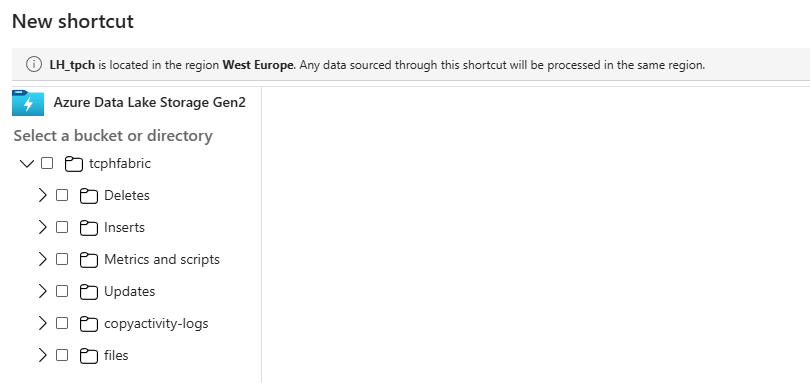
Now you can select the folder from which you want to read.
I’ve selected the folder, which gives me the option to edit or create the selection.
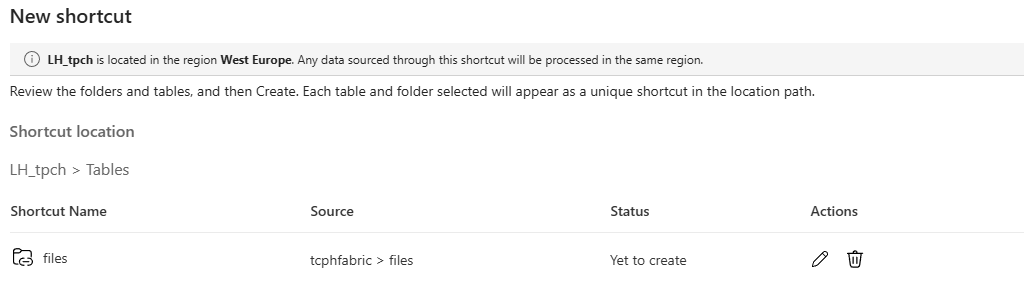
When I click create, the list of tables changes at the bottom.
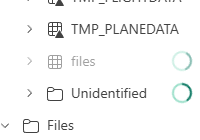
Because I was not so smart when creating this demo, my folder got stuck in the Unidentified section. Why? Well, the data is in text format, and the tables section expects delta parquet files. So, I moved them to the Files section, and now the data is available.

What about the Warehouse?
If you click on the Get data option in the Warehouse, this appears.
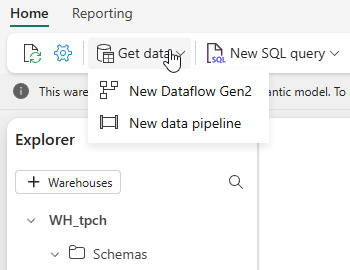
I would love to see the option to create a shortcut to an on-premises SQL Server.
And the eventhouse?
If you go into your eventhouse, click on the database and then the Get data option, you’ll see this.
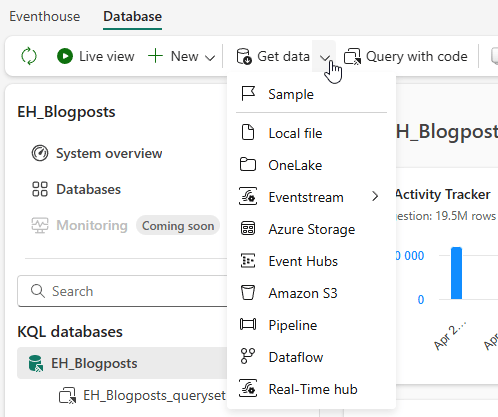
Well, that’s weird because when I look at the databases list, there is a shortcuts option?
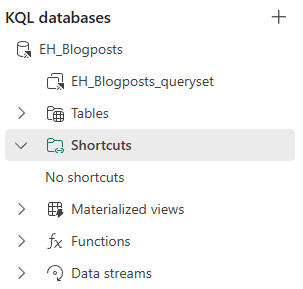
That’s true because in the eventhouse environment, you have to create a shortcut using a different route.
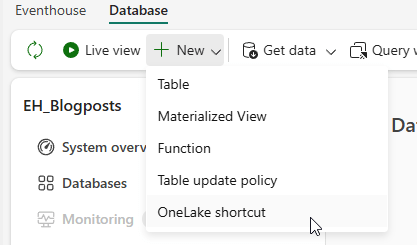
I have no idea why this is, but the option is in a different drop-down menu. The rest of the process is identical. You point the shortcut to the data and move from there.
Are they useful?
I think shortcuts have a lot of potential. They give you the opportunity to read data without actually storing it in your Fabric environment. That is, if the regions align. If they don’t, the network cost might be higher than your savings on storage. It’s always a trade-off.
Video!
Now, time to look at Valerie’s take on this subject.
 Reitse's blog
One thought on “DP-700 training: create and manage shortcuts to data”