
A few minutes ago, I came across a post on LinkedIn by Erin Stellato, highlighting the post from Makena Barickman on the release of SSMS 22, preview 3.
If you’ve been following my blogs, you’ve read that I’m a keen follower of the latest editions of SSMS, especially now that Copilot is integrated. From very early previews to the current preview implementation of your own model in Azure OpenAI with Azure AI Foundry, I’ve tested them and driven them mad.
Github Copilot
Now, you will find that there’s a new Copilot in SSMS town, the GitHub one. As mentioned in an earlier blog, it was a very highly voted item, and thus, the SSMS team decided to work on this implementation.
How to get it to work?
The steps are pretty simple.
- Download the SSMS preview 3 installer or update from your Visual Studio Installer
- Make sure you have the AI Assistance checkbox activated
- Update or install SSMS
- Make sure to log in to your GitHub account when starting SSMS or when logged in
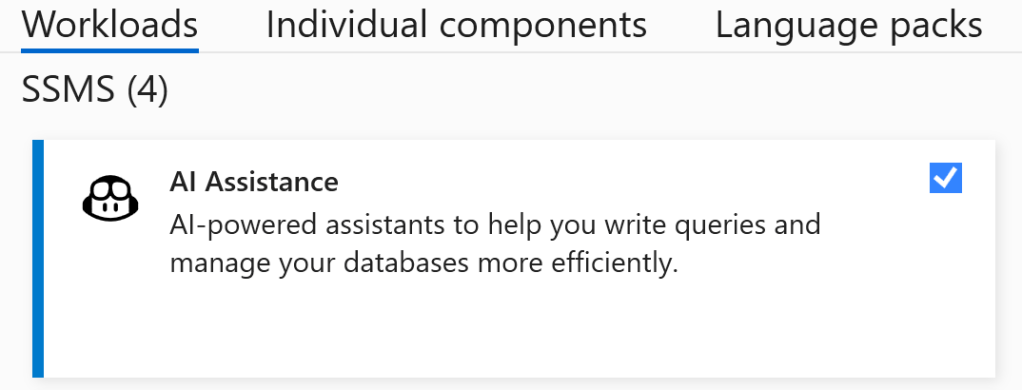
What does it look like?
Well, see for yourself.
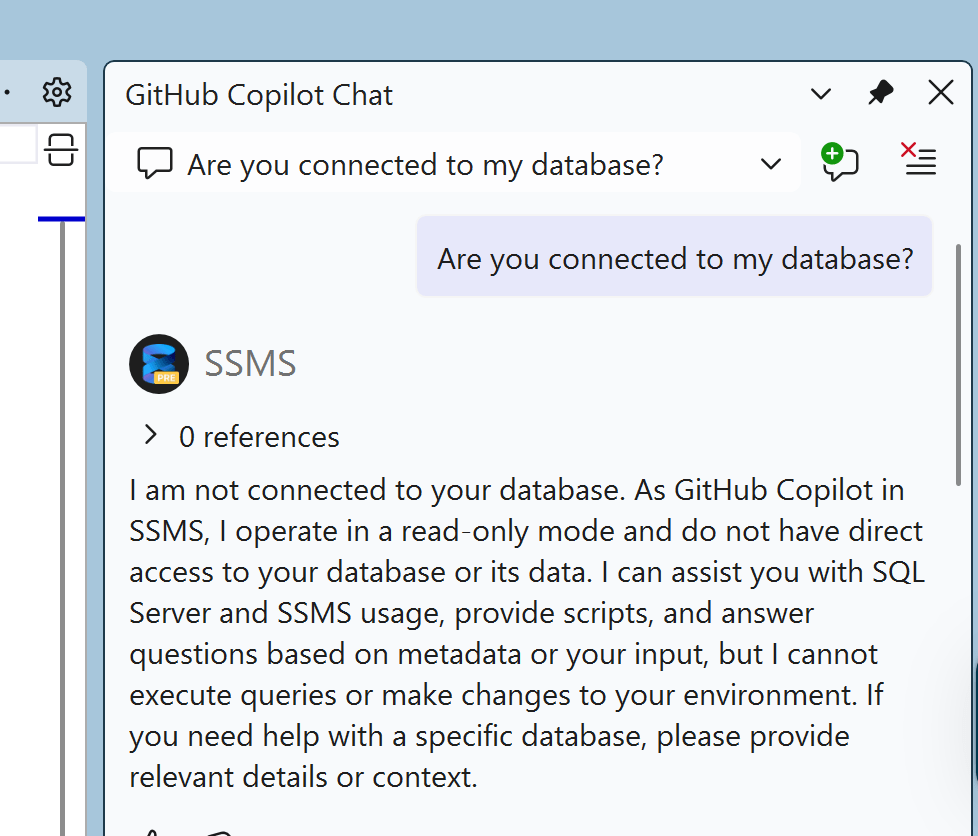
When I opened SSMS, the query editor was not open, and I asked if it was connected. Just to see if the dependency of the query editor was still there or not. It still is, and I think it really makes sense to have this dependency. It will guide Copilot to the correct database and context without requiring a switch on the Copilot sidecar.
When I connected the query editor to my database, I asked it what it could tell me about it.

It’s a really simple one, based on NorthWind. The information is accurate and comprehensive. I can imagine that your database with a few hundred tables will miss a number of them in this response. Having the created and modified date is a nice-to-have.
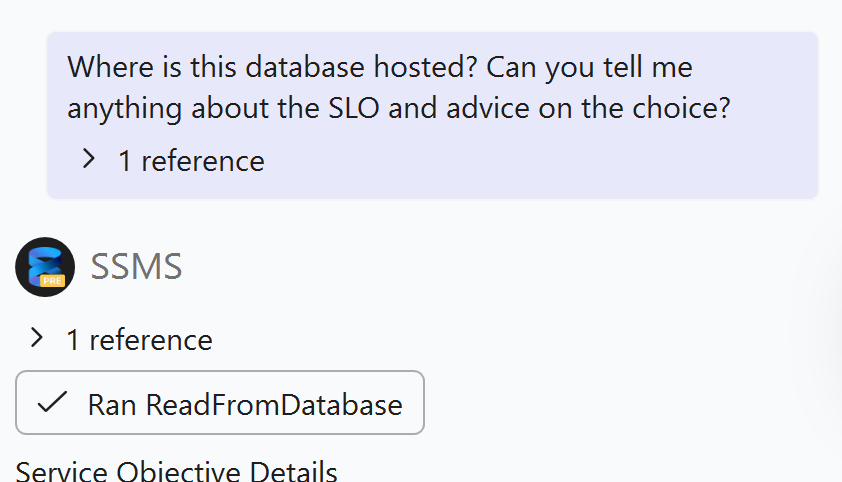
Next, I asked it two questions at once. The answer:
Service Objective Details
•	Service objective: Basic
•	Service tier (Edition): Basic
•	Compute tier: Provisioned
•	Hardware: Not specified
•	vCores: Not specified
Human-like Description: The Basic service objective specifies your database is using the Basic provisioned compute tier. This tier is suitable for small workloads, development, or testing environments with minimal performance requirements. For production workloads or higher performance needs, consider upgrading to General Purpose or Business Critical tiers.
If you need advice on scaling, performance, or cost optimization, let me know your workload requirements.
Not all the answers I was hoping for (it skipped over the fact that it’s hosted in Azure), but all in all not too bad.
But there’s something else that caught my eye. If you look at the screenshot, there’s a reference. When you click on it, this happens:

It shows the link to a file. I would like to know what’s inside, don’t you?
The funny thing is, I can’t find that folder structure. I can see up to the Temp folder, the folder or file starting with ccwx isn’t there. However, in the Local folder, there is a folder named SSMS Copilot.
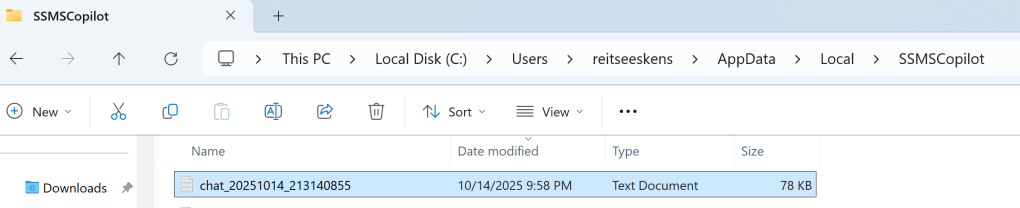
This file contains a large amount of data related to your prompt and instructions for the agent on how to create responses. It’s too extensive to paste here, but if you’re using this, I recommend looking into it and reviewing the instructions.
Which model behind it?
I asked which model it is using. It replied with this.
I am GitHub Copilot, an AI programming assistant. My responses are generated using advanced language models from Microsoft and OpenAI, primarily based on the GPT architecture. My environment is specifically tailored for SQL Server Management Studio and Azure SQL Database tasks.
I’d say GPT 4 or 5 with a lot of specific extras around SQL. In the coming period, I’ll try and see what it can do with different SQL tasks.
Execution plan in a new tab
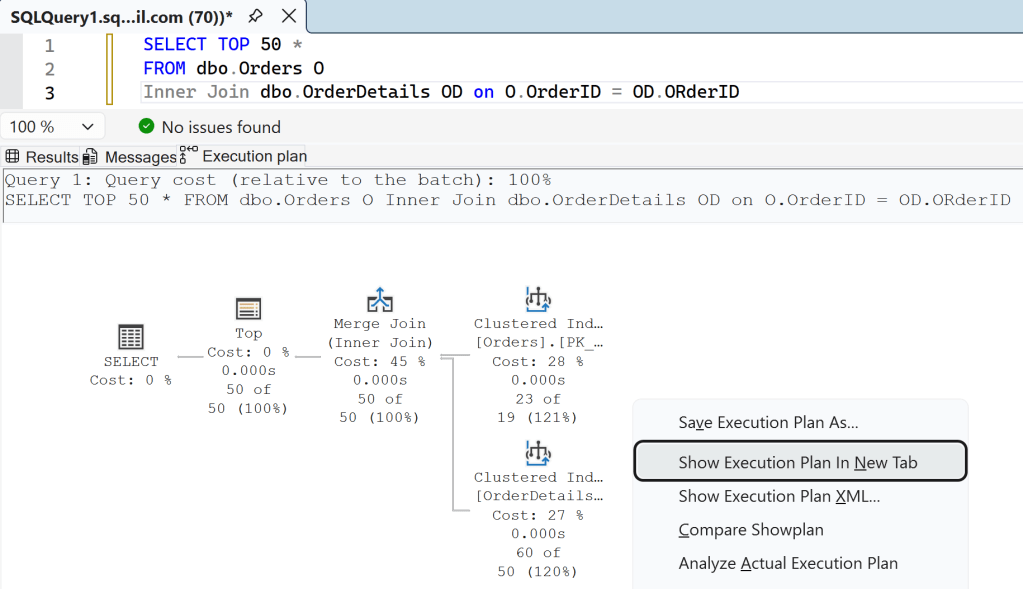
Something else that caught my eye is the Execution plan tab; you can now open it in a separate tab! Really nice improvement.

ARM 64
Yes! It’s now supported, which means I can also install it on my MacBook Pro in Parallels, removing the need for an Azure VM for testing. It was installed within 5 minutes, and the startup time was around 15 seconds. Either the ARM architecture is very fast, or there have been some significant improvements in this area as well.
That’s all for now; I just wanted to highlight this release and share my initial experiences. Time to re-write my SQL Copilot session!
 Reitse's blog