
Captains log, stardate… No, wrong opening.
I reported an issue yesterday with Microsoft Support and during the following call today (they’re really quick to set up an initial meeting), the support engineer showed me where I can find a lot of logging information.
Suppose you’ve got a notebook that has been run a few times. The front-end will only retain the information from the last run. If you see an error, for example this one

You know it’s an error from the last time the cell has run. Earlier errors are gone. But no, they are preserved!

Click on Run to open a small menu

Click on All runs and you get a new blade with a number of runs from this notebook
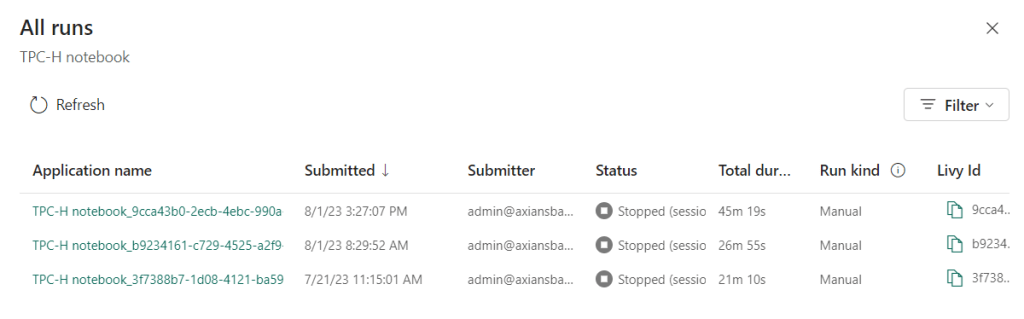
Click on the link in the column Application name to dig a level deeper into the job.

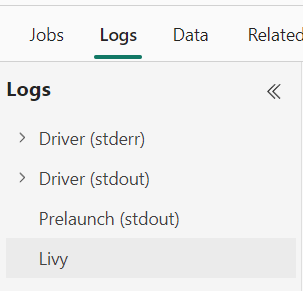
There is a lot of information available here. Under logs you can find the stderr, stdout and Livy logs that seem to give information about the underlying structure (something with VM’s, CPU’s and memory can be seen there).
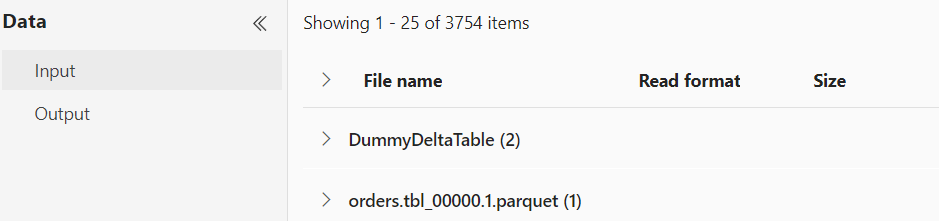
Under data you can see the files that were used in the notebook:
So if you need more info on logs of your notebook, this is a good starting point. If the error in you notebook tells you to dig into the logs for more information, this seems to be the place to dig in!
And that’s all for this blog. I hope that you’ll find this short one helpful.
Thanks for reading and happy debugging!
 Reitse's blog
One thought on “Microsoft Fabric, Notebook logs”