
This next blog won’t be a long one and will probably serve most as a reminder for myself where to find the settings for the Spark compute pool.
When you create a workspace, you get the default starter pool and it has taken me way longer than I care to admit to find where to find the setting and, more importantly, how to change it.
First up, you can’t really change the StarterPool. It’s there and it’s something you have to live with. But, you can create your own pool(s).
To do that, go to your Workspace settings.

Within the Workspace settings, go to Data Engineering/Science and click on Spark compute.
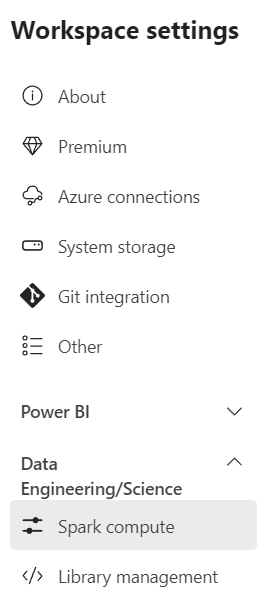
The blade that opens up shows you the StarterPool.
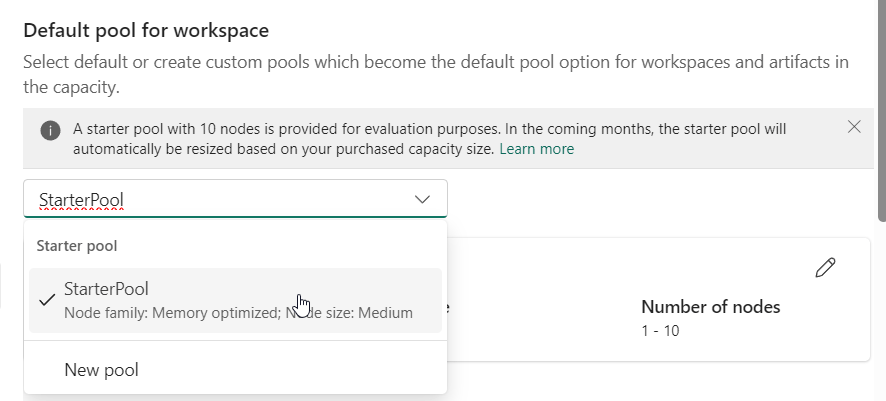
As Abel Wang said, don’t accept the defaults. Microsoft won’t either, this pool will be resized at some point. For now, let’s see the options for the new pools.
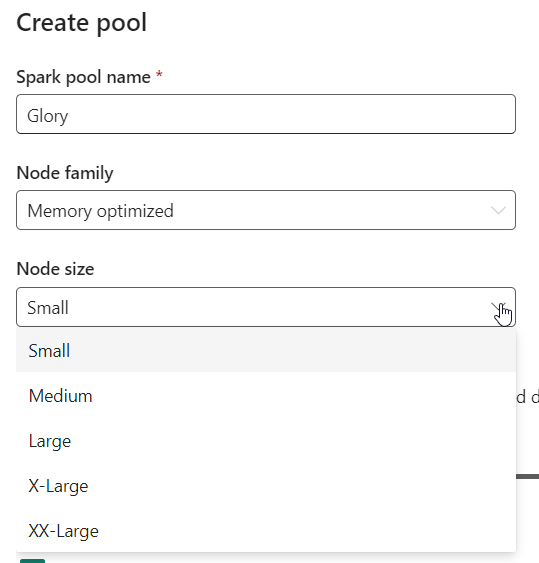
So the sizes are related to T-shirts. Let’s see how these translate. If you look careful enough, you might find this page, with this on it.
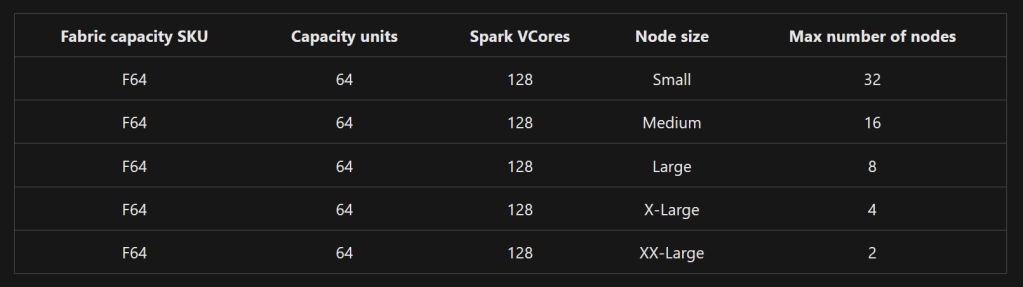
Let me turn this around.
| Node Size | Spark VCores |
| Small | 4 |
| Medium | 8 |
| Large | 16 |
| X-Large | 32 |
| XX-Large | 64 |
Now let’s finally relate this to de Capacity Units. F64 has 128 Vcores. So every capacity unit comes with 2 VCores. The F2 therefore has 4 VCores and can only run on the Small node. The more you go up, the more choices you get AND the more pools you can create.
Now within a Fabric Capacity Resource, you can have multiple workspaces but my assumption at this time is that the Spark VCores are shared among the workspaces. If you run out of Vcores you can either assign more Capacity Units of add a Fabric Capacity Resource. The latter will have it’s own isolated resources and OneLake that will have use cases but defies the general purpose of the OneLake.
Finally, before you start scaling your Fabric environment, make sure you have an insight into the usage. Either through the provided report within Fabric:

Or with a multi-workspace solution by Štěpán Rešl (T | Bsky | L)
Thanks for reading!
 Reitse's blog
One thought on “Microsoft Fabric: setting your spark compute pool size”