
Welcome to my Ted Talk, data transformation is done in T-SQL. Thank you.
Well, yes once upon a time, maybe. Nowadays there are many more ways that lead to the dark side (also known as data vault) and the happy side (also known as the star schema or dimensional model).
Did I lose you yet? No? Cool, let’s move on and check out the options we have.
What are the options?
Microsoft Fabric offers a few different options,
- Dataflow Gen2
- Notebook
- T-SQL
- Event streams
Let’s dig into these three and see what the differences are.
Dataflow Gen2
If you’ve been using Power BI for some time, you will be familiar with the low code experience. In these dataflows you can drag and drop different building blocks to transform your data from the structured or semi-structured source into the model of your preference. As long as your transformations are simple, you don’t need to know any code. The blocks are self explanatory and will do all the work for you.
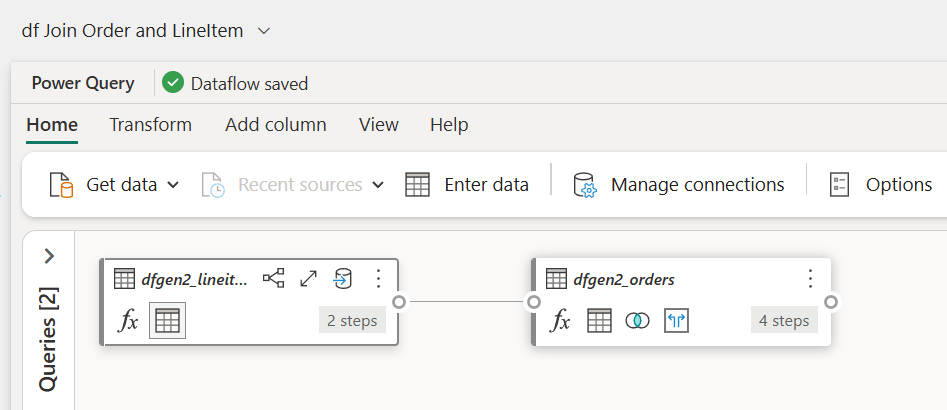
In the above example, I’m joining two tables. The only thing I have to do is tell the dataflow which join type I’m expecting and what the columns are.
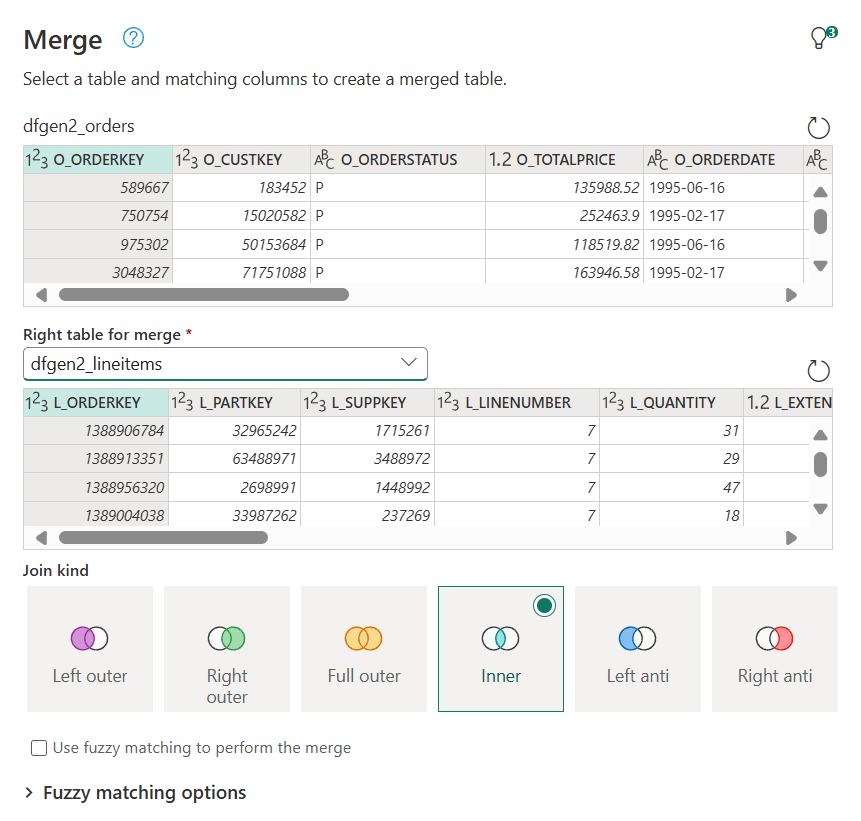
The highlighted columns are the ones used for the join, the Inner option is marked as the chosen one for the join. I like the fact that Venn diagrams are used to show the effect of the join.
Notebooks
Writing notebooks is a full on code experience. When you open a notebook, it will open with a blank cell and a cursor blinking happily at you like an eager puppy waiting to go play. You will need to do all the work, you will need to create the scripts to build the model. It can be hard work but also very rewarding!
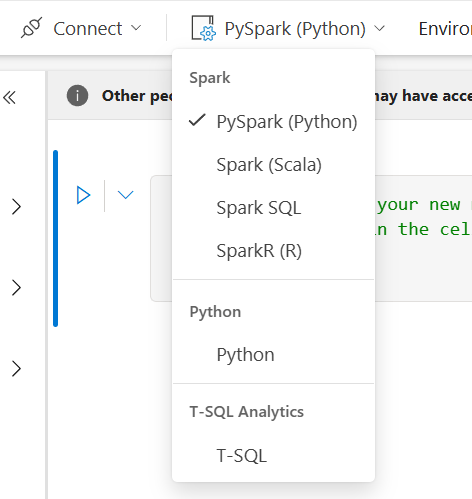
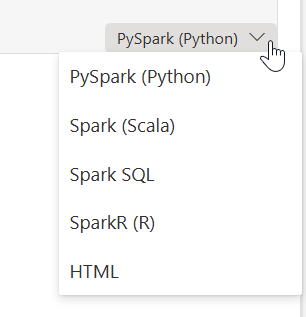
You can use a number of different languages in a notebook. The default is PySpark, but you can also use Spark (Scala), Spark SQL and SparkR (R). The new additions to notebooks are the ones where you can write Python and T-SQL.
When you create a new notebook, you can see all the options in the drop down.
A few things to note when you’re working with a notebook, cells can be used for different purposes. First, you can have a code cell or a markdown cell. The former contains code that runs, the latter markdown text for documentation, explanation etc.
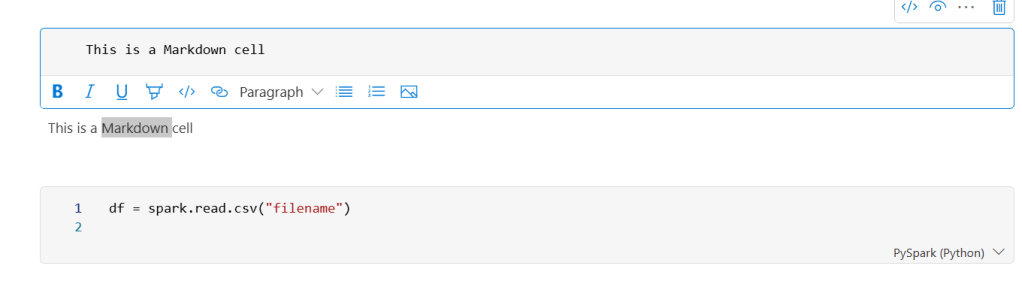
As you can see in the lower right hand corner, there’s a dropdown. Another place to change the language.
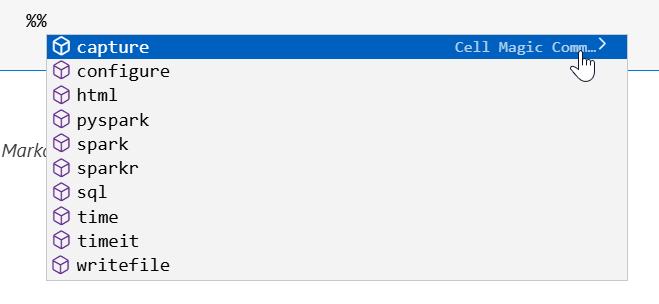
Another way of changing the language is by using two percentage signs, a part of magic commands.
Cells can have a special function as well. Within each notebook, one cell can be converted to a parameter cell.
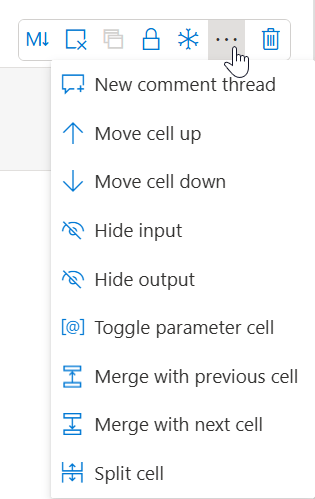
This can be very handy when you call your notebook from a pipeline. The parameters in your parameter cell will show in the pipeline and you can populate them on runtime.
T-SQL
Ah, my old friend and, at times, foe. The language I built my data career on is still alive and very much kicking. The biggest trick within Microsoft Fabric is where you want to use it. Put quite simply, there are some differences between the Warehouse and the Fabric SQL Db. The latter supports all T-SQL, the Warehouse has some limitations. By and large, most of the things you need will work on both data storages. You can choose to use SQL Server Management Studio, Azure Data Studio, the Fabric SQL Db interface, the Warehouse interface or a T-SQL notebook.
This means you can choose your favourite tool to write your favourite language.
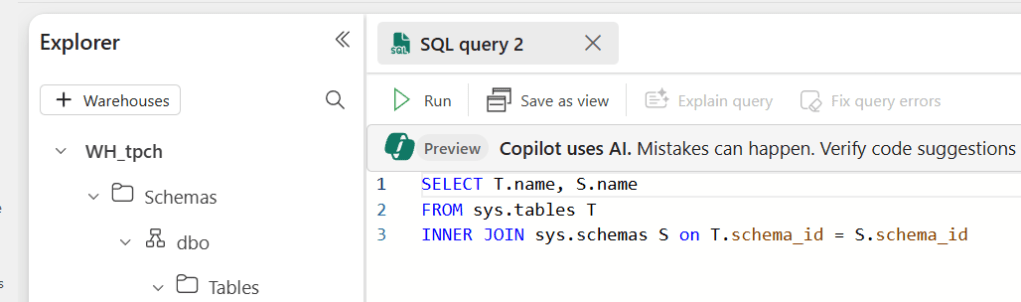
When you’re writing code in the Warehouse, it can look like this.
Event stream
When writing this blog, I didn’t see this one coming; you can transform your data in event streams as well.
As you can see in the screenshot below, I’ve added some steps to modify the incoming data.
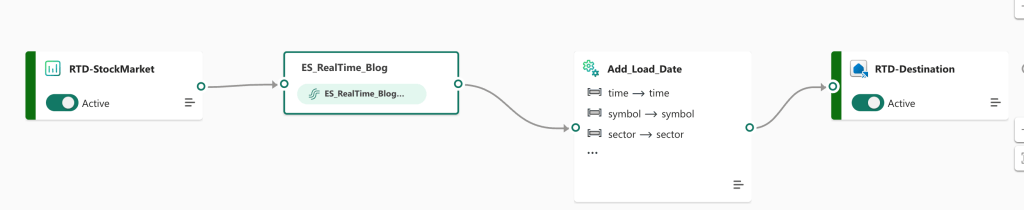
If you want to read more about this, take a look at the blogpost on Eventstreams.
Comparison
Some of you may have read my blog series on Fabric performance and the differences between them. Or attend my session on this subject. And yes, there are differences. If you want to use the dataflow Gen2, please make sure you use the fast copy option. I had the pleasure of doing some early testing and this is a picture from the Fabric Community Conference in Stockholm in 2024.
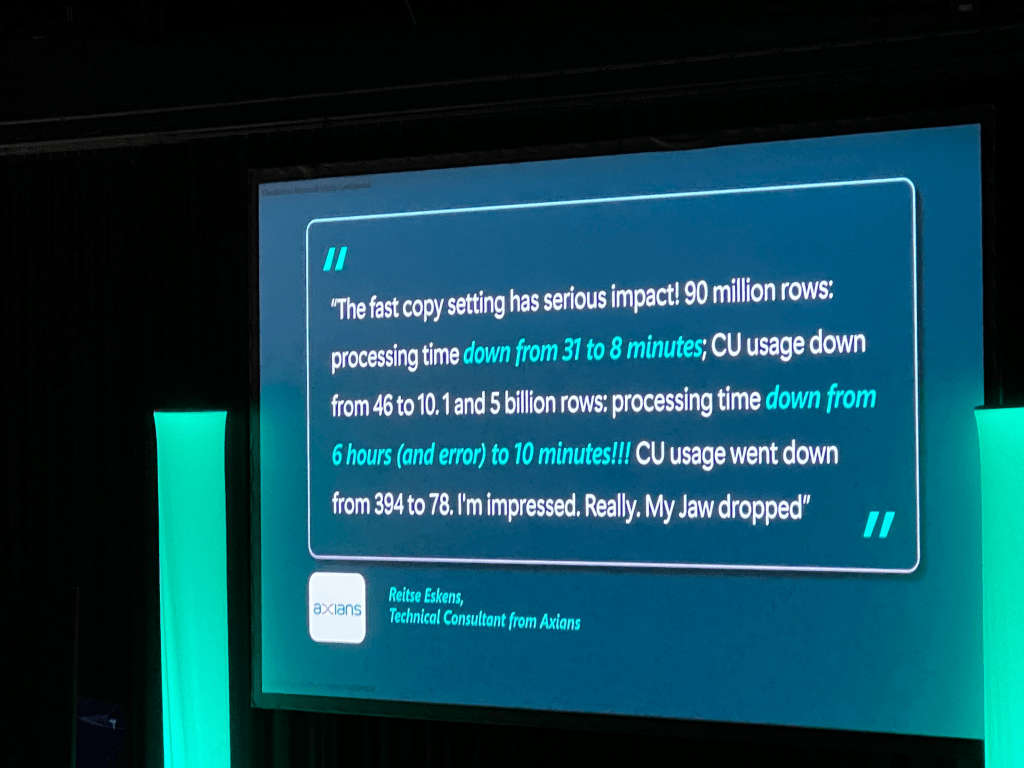
There really is a massive difference when you enable that button.
SQL
As a SQL DBA at heart, I carry a lot of love for the T-SQL language and databases but at the time of writing (january 2025), my experience is that you’re better of with the Lakehouse and notebooks. They just run faster and more efficient compared to the Warehouse. I genuinely hope that the Warehouse and associated T-SQL are going to catch up.
Having said that, it’s by no means a bad solution; it will support your workload and can create a massive advantage if your skills are T-SQL based and you have no time, need or capacity to change to Pyspark. The Fabric SQL database is still in preview; this means that Microsoft is still doing work on the back-end and it’s too early to draw conclusions.
Video!
Now that you’ve done enough reading, time to jump into the video made by Valerie!
 Reitse's blog
One thought on “DP-700 Training: Data transformation options”