

A lot of you may probably know that I like the GitHub Copilot sidecar chat in SSMS, and that it can really help develop code faster. Even though you have to be aware of how the integration now handles your prompts, it remains a great help to quickly generate code.
But did you know that you can also do that in the Query Editor?
Let me give you an example, followed by a deep dive into what we can see under the covers (without opening the debugger ;)). I’ll also do a short comparison with the sidecar chat option, followed by my personal opinion.
Initial setup
Of course, you need to connect SSMS to your GitHub account and ensure GitHub Copilot is enabled. To be clear, this blog will not go into how GitHub manages the models and where your prompts are processed.
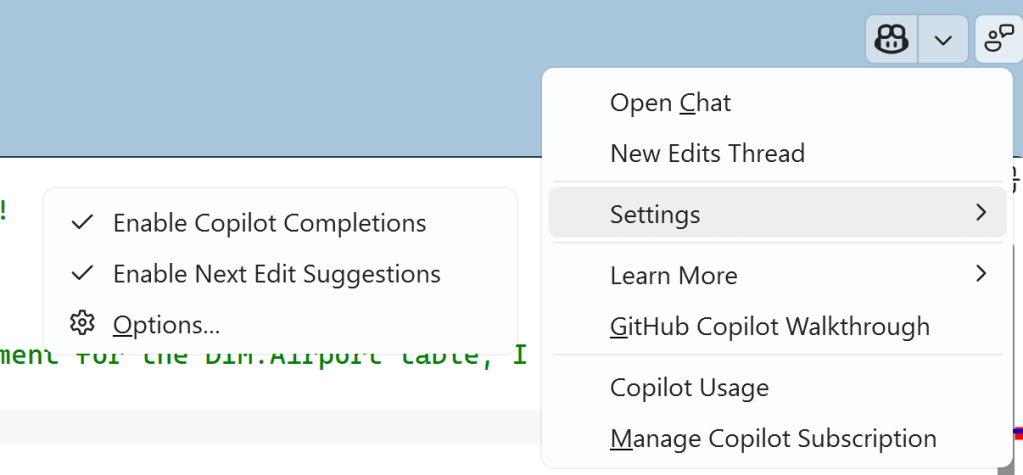
In SSMS, you can find the settings and enable Copilot completions and suggestions.
First attempt
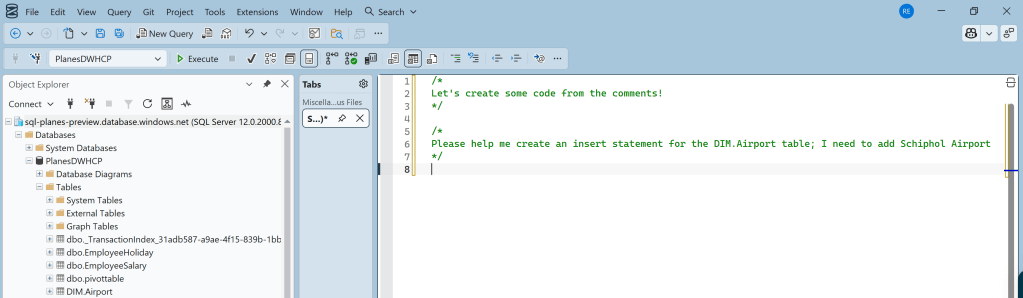
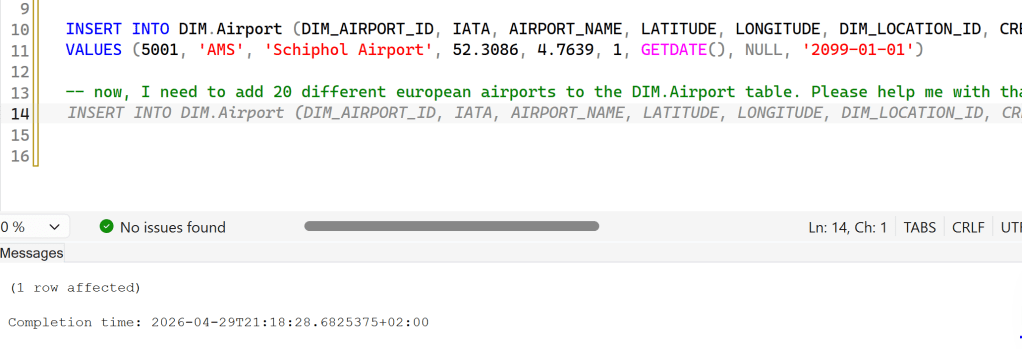
I’ve connected SSMS to a database, and I’ve written two comments. The first one is to help me remember what I’m doing; the second one is an actual prompt that I could have written in the sidecar chat. But didn’t.
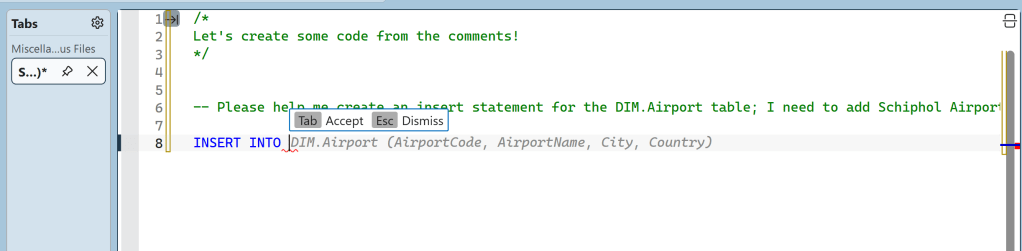
Let’s start typing the insert statement. As you can see, I only typed INSERT INTO, and the chat completed the statement based on what it thought the correct statement might look like. As a first try, not too bad, but also a bit off the mark.
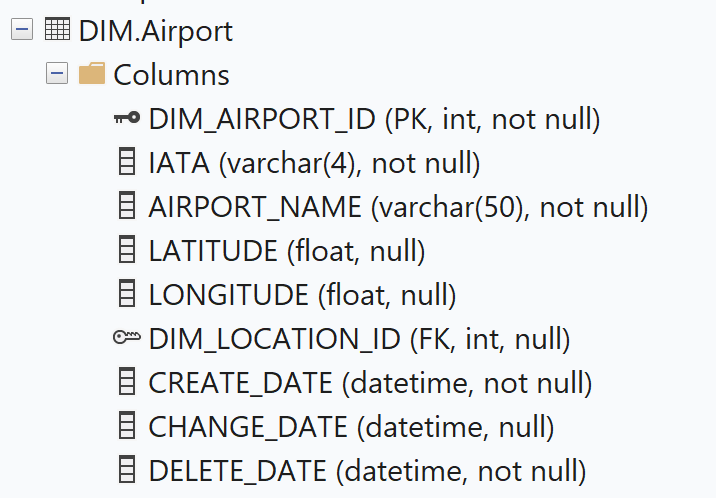
When you look at the actual table, there are enough differences.
Attempt number two, give it some info
Let’s be honest: when you’re asked to insert data into a table, you need to look at the table and the data to see what’s expected. It’s fair that code completion needs some info as well. So, selecting 10 rows should give it some information on the data and structure.
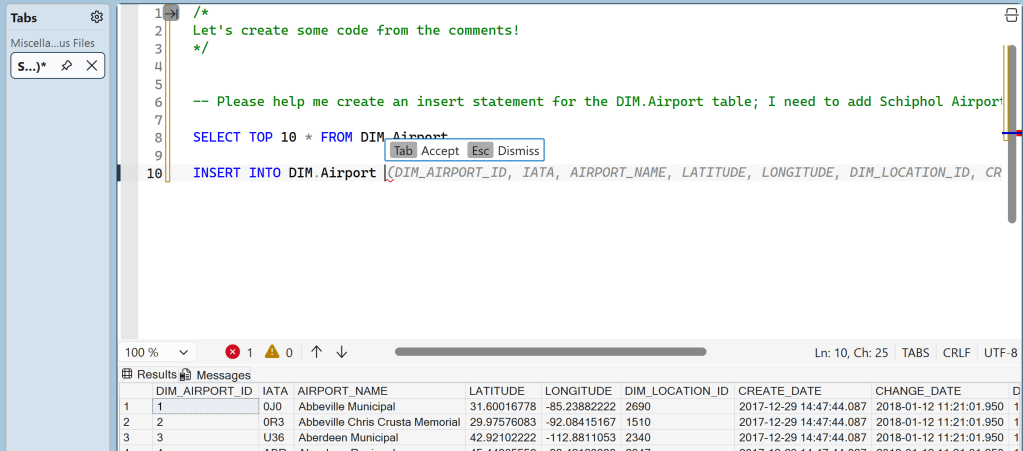
And now, look what happens: all of a sudden, the columns are much more aligned with what I’m expecting, and the values start appearing.
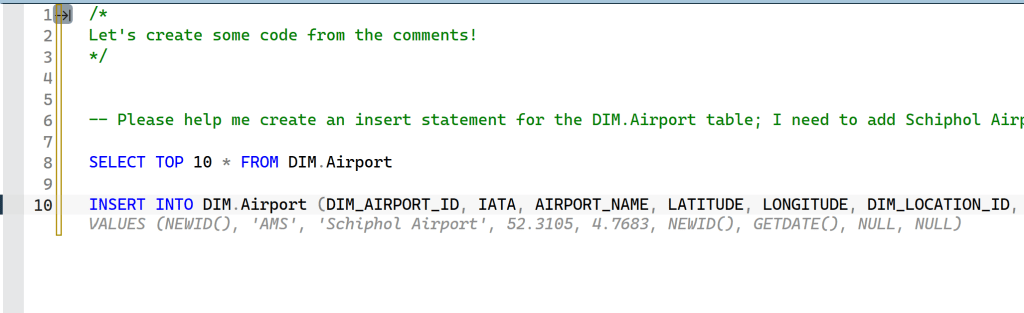
I always like to check and verify if the information is correct. This is info of Schiphol Airport.
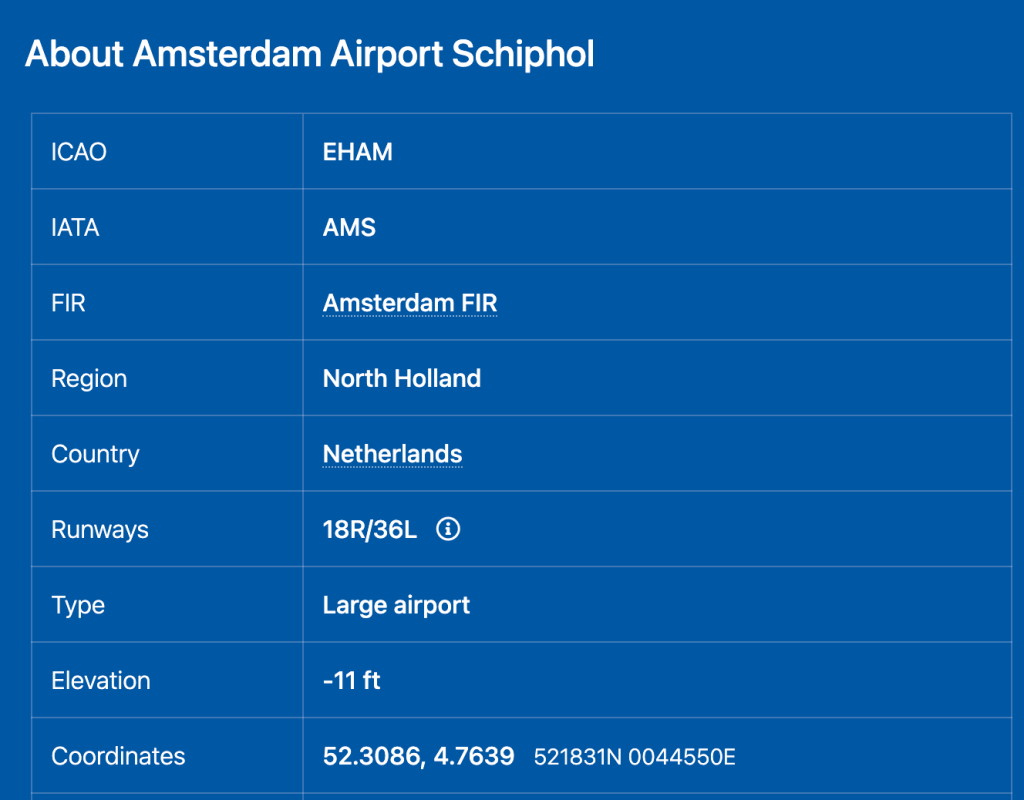
The coordinates are almost spot on; I presume they depend on which part of the airport you use. The IATA code is correct, which is essential information.
In the previous screenshot, you could see that the dim_airport_id column (which is an integer) was assumed to be a guid column (hence the NEWID()) operator). That won’t fit; I changed it manually and tried to execute this query.
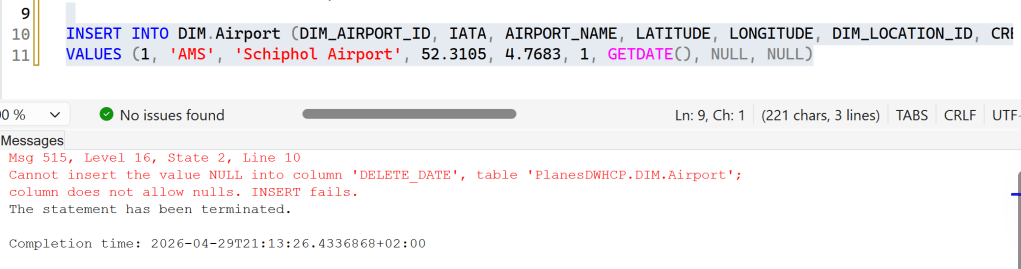
As you can see, this broke the statement because it failed to recognise the NOT NULL constraint on the delete_date column. I could either change this in the prompt or change it manually and move on. I chose the latter.
More rows, please!
So, you think you can create one row? Let’s see how far we can get you to go. In this case, wanted 20 more European airports. There are no selects in between; this is just following up on the previous, successful insert statement.
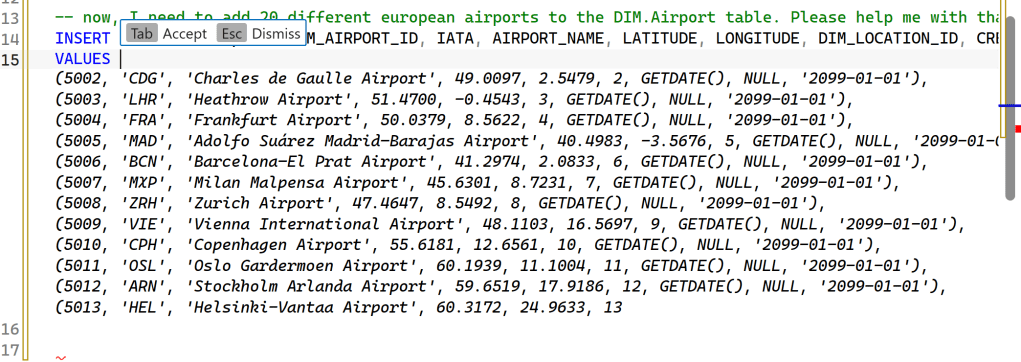
As you can see, it generates valid code. Up to a point. The IDs follow from the last one, the delete_date is populated, and the info all seems correct. Which is very cool, because trying to find all this info by myself is quite a lot of work, and a lot of typing.
You’ve probably also spotted that the code just stops at some point. My educated guess is that I ran out of tokens for this request.
Something else, a reporting query
Let’s make life a bit more difficult for this feature by having it try to create a reporting query. For this to be successful, it needs to understand my database, the foreign keys, and the table names. Here, you can see it slowly slide off the rails.
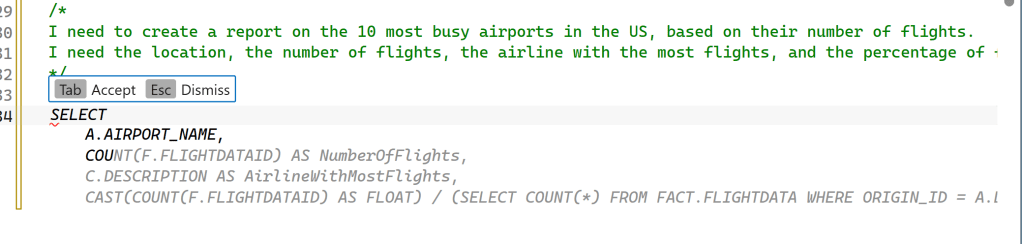
One of the things I noticed is that it expected (based on my comment) a table named Airline. Even after I changed the comment to reflect that my database has no airline table but does have a Carriers table, it stubbornly kept suggesting “Airline”.
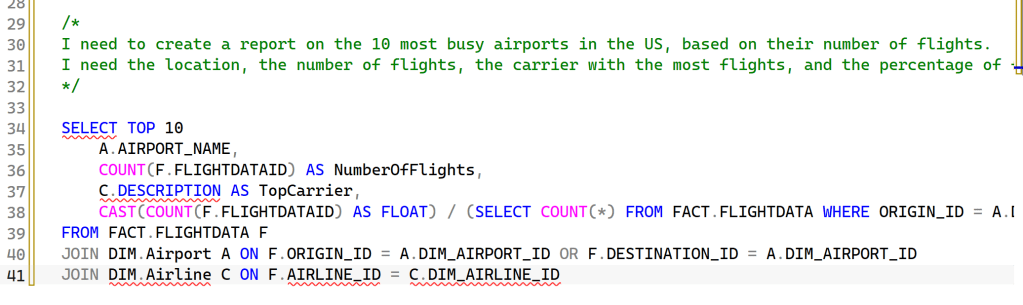
After restarting the VM and trying the same comment again, this showed up:
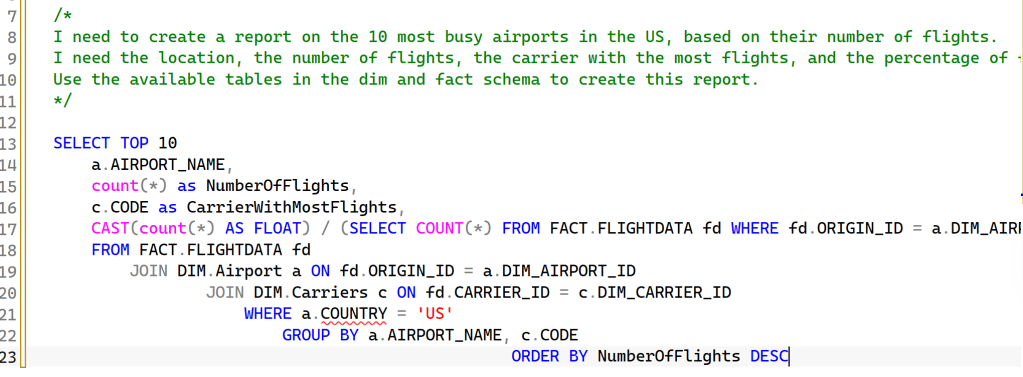
Either it checked previous attempts and improved on them (though the country is nowhere to be found in my Airport tables), or it re-evaluated the comment to return a better attempt.
To check this, I tried a completely new prompt.

Apart from being technically correct and working, this was the point where I wanted to dig deeper to see what it was doing. So let’s dig in!
What it’s doing under the covers.
There are two parts to this that I tried to investigate.
First, the extended events route, to see what kind of queries it runs on the database.
Second, it should contact a model somewhere and feed it information. Using Wireshark, let’s see if I can see what it’s doing.
Finally, let’s check whether there are any debug files.
Extended Events
I genuinely hope you know what Extended Events are, and if not, let me help you with this. They are awesome. Now, go read up on what you can do with them. Or, continue reading here.
The first thing I noticed is that there’s a different client app name when using code completions, which can be very handy to find out who’s doing what on your system.

There’s a second application at work as well.

Then, there are the queries they’re executing
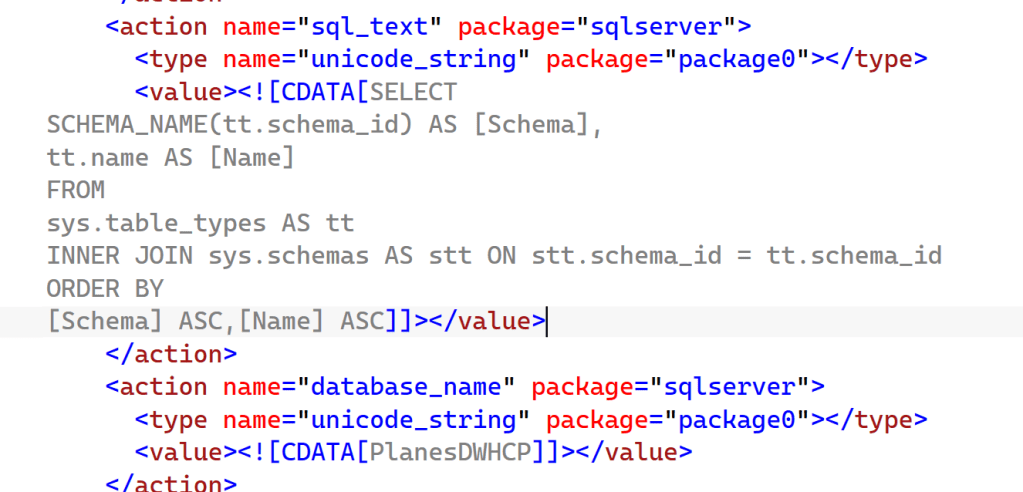
This explains why it doesn’t detect my specific column types; it only looks at tables and schemas. Also, it doesn’t take into account the foreign keys that are available to it.
WireShark
Wireshark is a whole different beast to manage and, in all honesty, I’m far from being an expert. But I did find some interesting things!
When I let the Copilot integration in my SSMS do things for me, a lot of traffic appears.
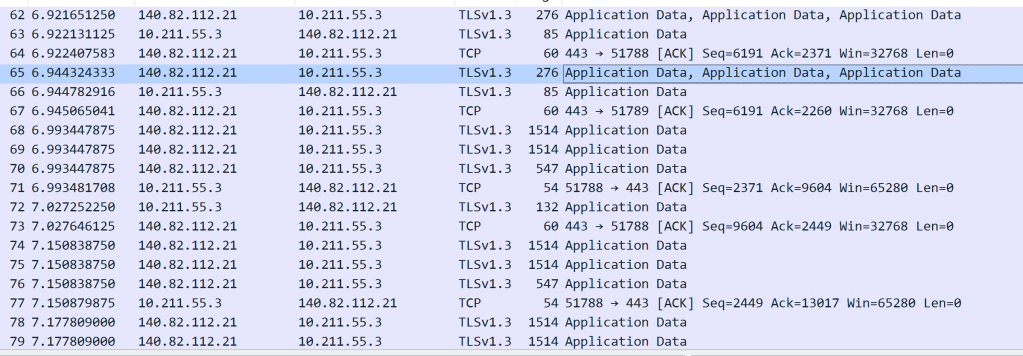
10.211.55.3 is the IP address of my Laptop, and it’s happily chatting with some external endpoint. And I can find out what that is!
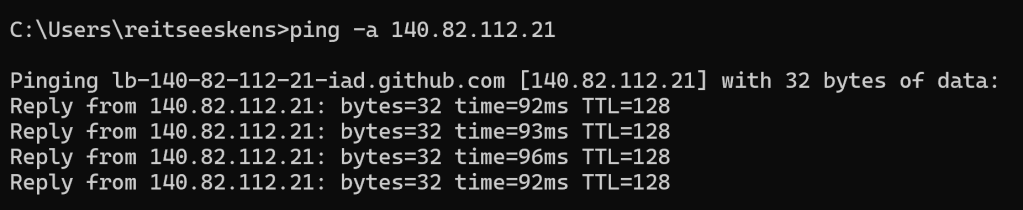
Looking at the address, I think this is a load balancer for GitHub.

And the traffic even confirms it’s the GitHub Copilot environment. What’s even better is the TLSv1.3 protocol, which signals that traffic is nicely encrypted. The traffic captured by Wireshark is mostly gobbledygook: random characters clearly not meant for me to see.
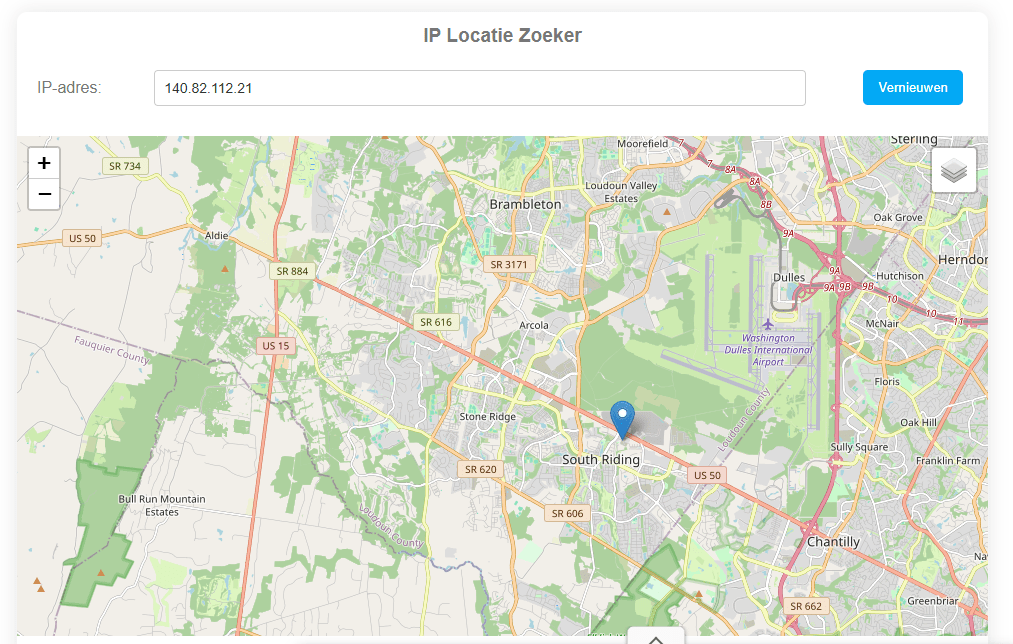
Now that the IP address is known, I can also check where it is located (or registered, since my public IP address isn’t exactly where I live either).
According to a free website, this is the location.
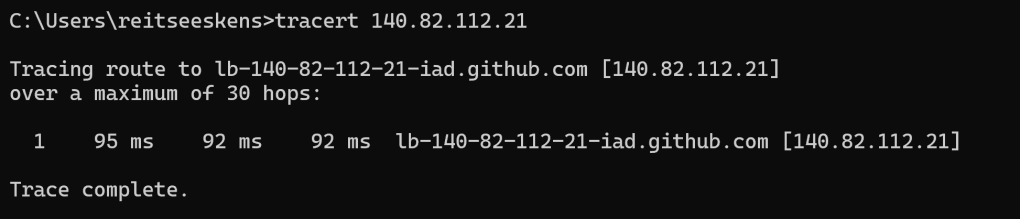
I was a little surprised that I could reach the US in a single hop, whereas I’ve seen five to ten hops when connecting to Azure services in the past.
To see if I can really jump to the US in a single hop, I checked my database.
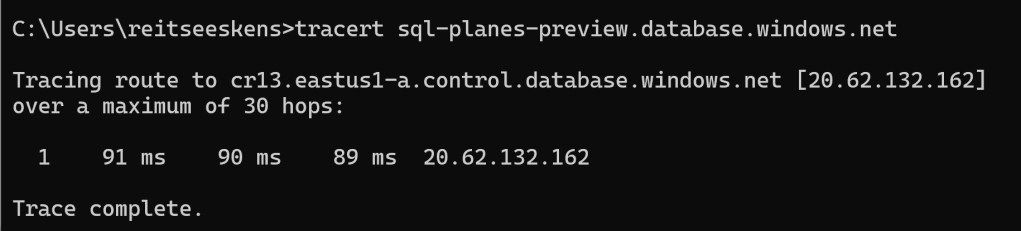
This one is very much in the US, and maybe the intermediary steps are intentionally hidden. I did a quick check on Stack Overflow, and apparently, there are settings that can hide a hop when using traceroute. For me, the most important part is that the service is hosted in the US.
Debug files
This is one of those things you need to know where to look for. There are a few locations on your machine where you can find files that tell you exactly what is happening. The first location is this:
%TEMP%/VSGitHubCopilotLogs
This folder logs what GitHub Copilot is doing.

There is a LOT of text in these files, a snippet:
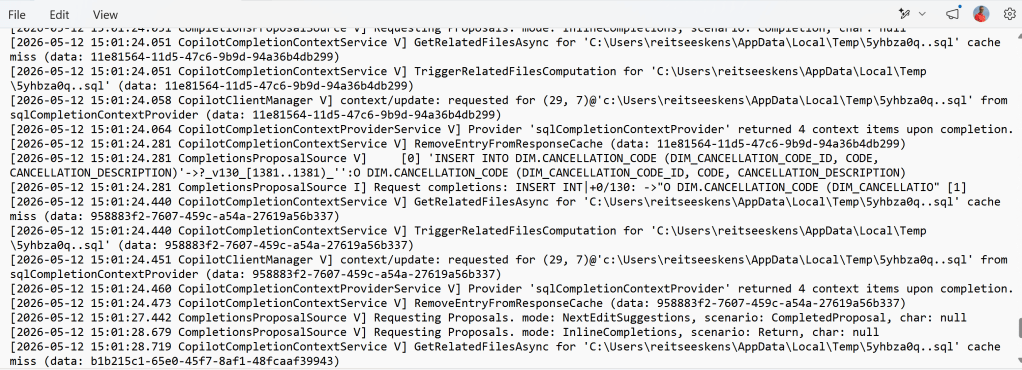
One thing you can see here is the output for my request for the cancellation code.
Just as I checked the extended events for any activity on the foreign keys (which there wasn’t), I also checked this file for foreign keys. Again, none found. Only this.

It is really only checking on table names and schema names.
Final comparison
Just to check, I started a new Copilot sidecar chat to see if there’s a different impact on the database.
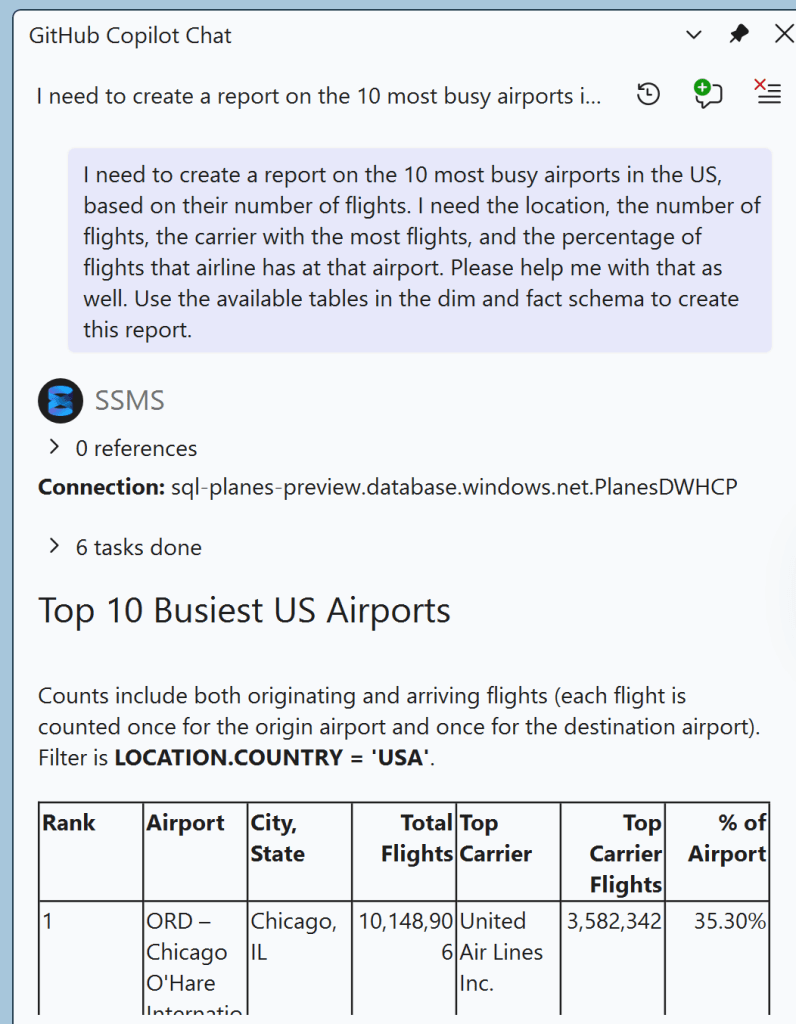
And, something that has an impact on the result:
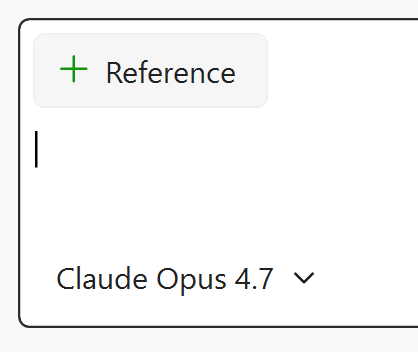
This toolset generated different queries:
SELECT
    CONCAT(QUOTENAME(s.name), '.', QUOTENAME(t.name)) AS TableName,
    c.name AS ColumnName,
    ep.name AS PropertyName,
    CAST(ep.value AS NVARCHAR(MAX)) AS PropertyValue
FROM sys.extended_properties ep
    INNER JOIN sys.columns c ON ep.major_id = c.object_id AND ep.minor_id = c.column_id
  INNER JOIN sys.tables t ON c.object_id = t.object_id
    INNER JOIN sys.schemas s ON t.schema_id = s.schema_id
WHERE ep.class = 1
    AND ep.minor_id > 0
    AND ep.name = 'AGENTS.md'
    AND (
        (s.name = N'DIM' AND t.name = N'LOCATION')
    )
ORDER BY TableName, ColumnName, PropertyName
The query has no result, but the agent is clearly looking for information.
Next, it did an important check:
SELECT DISTINCT COUNTRY FROM [DIM].[LOCATION]
It next created a long query that nicely answered my main query (create a report with the busiest USA Airports).
The differences and conclusions
When you’re using inline comments, I can see Copilot and IntelliSense happily joining forces to try to create a query. The result isn’t really bad, but you can see results improving after running multiple queries in the same query window. One thing you can’t do is choose the underlying model.
I could find a reference to a model when running a query

gpt-41? But is that the only one?

Looking at this log file, you can see it defaults to gpt, but it can use Claude Sonnet. In my tests, it kept using gpt. According to the people who actually know things, it’s neither really bad nor exceptionally good.
With the sidecar chat, I can choose the model myself. Which also means I have control over the price, as the Opus 4.7 has a 15x token rate. Something to be really mindful of when choosing the model. When checking the gpt-4.1 model, this is shown.
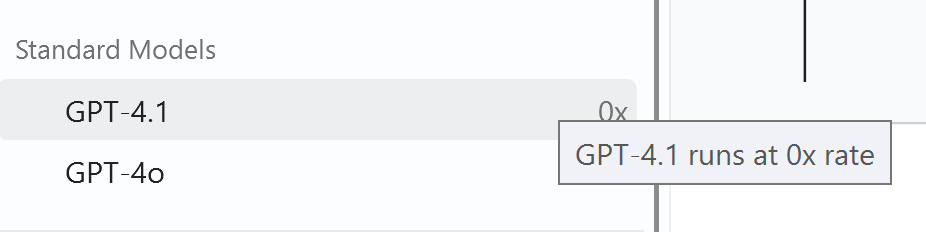
So, from that perspective, Microsoft’s choice really makes sense.
Conclusion
The helper in the query editor window really has its merits, even more so when you know what sort of query you want to write and what the data model looks like. It really feels like the logical next step for IntelliSense in SSMS, offering more advanced code completions and hints. As it defaults to a free model, there’s not much you can lose. The one thing to be aware of is the agent’s location (GitHub Copilot is an agent using the GPT or Claude model). If you want more control over that, you may want to check out what options GitHub has with its enterprise accounts.
Finally, I’ve never seen any agent or model return a perfect result. But then again, have you?


Years ago Microsoft was selling Azure ExpressRoute .
I suppose this is what is behind the 1 hop distance.
LikeLike