
A few days ago, I heard the term table clone for the first time, it’s preview release date was to be confirmed and I had no idea what it was about. Two days later, a video emerged where the table clone was explained on a high level. At that point, I started to wonder what the differences are between a table clone and a shortcut. So let’s dig a little into that question!
First I’m going to create a shortcut, then a clone and finally compare the two.
Shortcut
When you open your Fabric Lakehouse or Warehouse, you have the option to add a shortcut to your list of tables.

What this effectively does, is create a connection string to another source table. Think of it like a linked server in SQL Server, but without the hassle of settings, ODBC drivers etc.

When you click on new shortcut, there are three options, OneLake, ADLS Gen 2 and Amazon S3. This is because these options allow for the storage of Parquet (in delta format). Right now, other sources, like a SQL Server table, are unavailable. Should they be there? I can see use cases but also a security nightmare. In my case, I want to create a shortcut from my Warehouse to my Lakehouse. Both are in my OneLake.

When I click the OneLake button, two warnings appear. The first one telling me that it’s the calling item’s identity authorising the data I’m allowed to see, not the user I’m logged in with. In other words, no matter my authorisation on the data, if the application has full rights on the table, I can see all the data. This feels a bit weird and like an old way to build applications. As I’m working on Azure with all its Azure AD goodies, I want to leverage that when it comes to data security.
The second warning has to do with the processing location of my data. I’m storing everything in West Europe so for me, this is just a confirmation that my data is located where I want it to be. If you have another storage located somewhere else, not only can the processing take place somewhere else, remember that you’re dealing with data egress and this will incur costs.
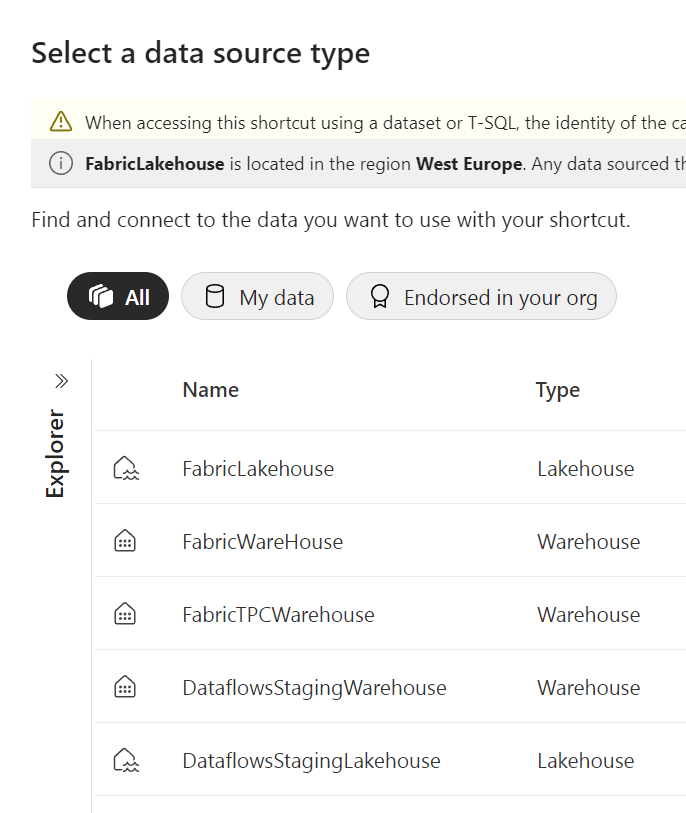
Alright, I’ve got my list of warehouses to choose from. I’m selecting my FabricWareHouse to add a table to my FabricLakeHouse.
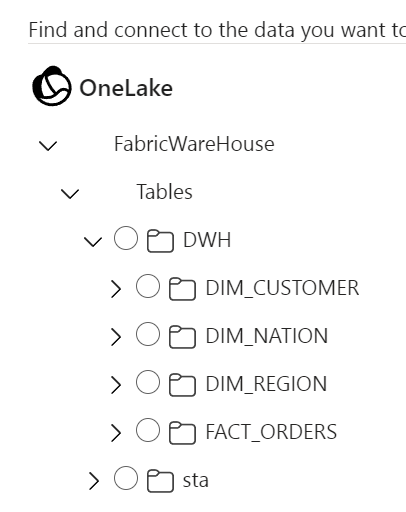
Right here, I’ve got an overview of my schemas and my tables. As I want to use my dimension tables in my LakeHouse, I’m going to select them.
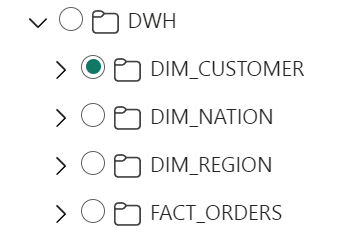
Alas, these are not checkboxes but radiobuttons, meaning I can only select one table at a time. For my setup with a small number of tables that’s not a real problem, but if you’ve got a production warehouse with 50 fact tables and any number of dimension tables, you’re in for a treat ;).
Let’s pick up my DIM_CUSTOMER table and finish the shortcut.
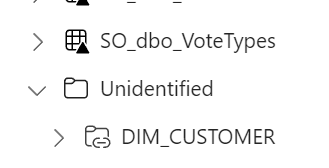
As per usual when creating new tables, it stays in the Unidentified section for some time before being promoted to the real tables section. If the table stays in your Unidentified section, check if there’s another table with the same name in your LakeHouse. As with SQL Server, you can’t have two tables with the same name.

Now I’ve got my dim_customer from my WareHouse in my LakeHouse. Take a good look at the icons. My ‘regular’ delta tables only have the delta icon, my shortcut has an extra little icon in the top left corner, indicating it as a shortcut.
But, is no data copied from my WareHouse to my LakeHouse? Well, let’s see what happens in my OneLake explorer. I can check out the file structure there to see if anything got added.
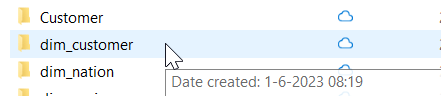
Yes, there is a dim_customer folder. But, this is the folder housing the data from my dim_customer_local table. When you rename a table, the underlying folder structure doesn’t get renamed. Just like the shortcut, renaming a table is a metadata operation. Though in this case, I’d like to argue that changing the name of the folder helps with management (or at least my slight OCD).
Table Clones
A table clone is also portrayed as a meta data operation, but it’s more like a snapshot of the table at some point in time. Again, I wonder what happens under the covers, so let’s find out.
I’m opening a new notebook and I’m going to run it in the SQL language setting. When typing in the command, I already noticed the red line but hey, living on the edge. The error though is clear. So let’s reread the documentation. Ah, only in the data warehouse, not in the lake house. So let’s pick up our stuff and move there!

Again, red lines but still living on the edge!
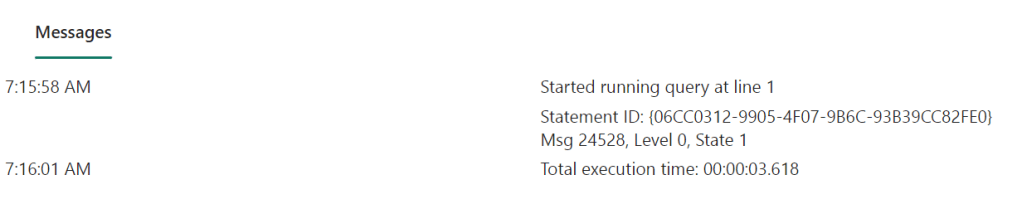
Query completed successfully, let’s check out the table in the explorer.

Ah, that’s not good. So you can’t clone a table into another schema, even though it’s not a known limitation.
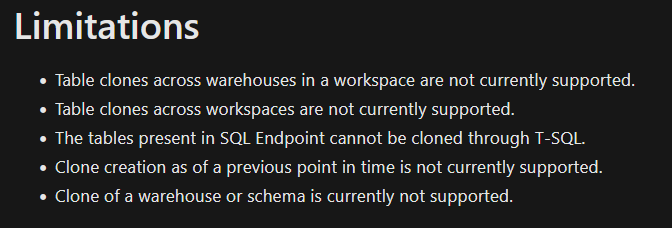
What happens when you stay in the same schema?

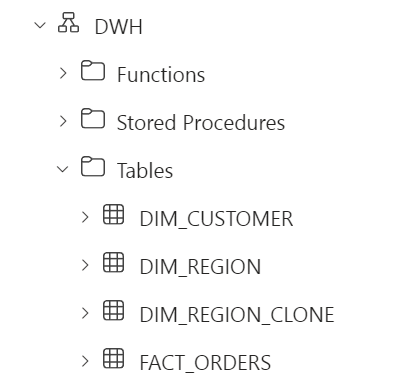
Yup, there it is. Now, one of the reasons to use a clone is to safeguard your data from accidental data changes. Let’s see if that really works.
To start with, showing the data is identical:
SELECT *, 'DIM_REGION'
FROM DWH.DIM_REGION
UNION ALL
SELECT *, 'DIM_REGION_CLONE'
FROM DWH.DIM_REGION_CLONE
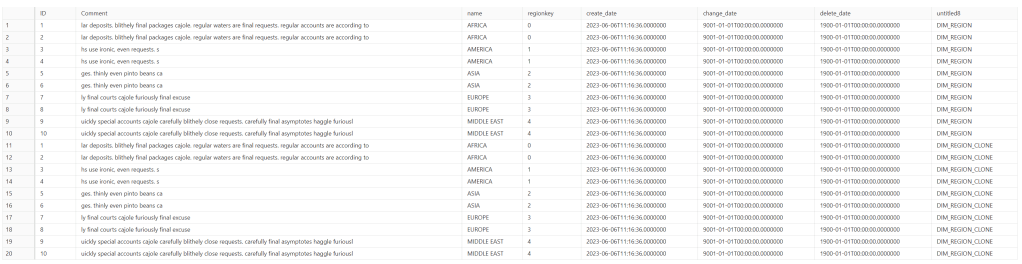
Let’s add a row to the original table.
INSERT INTO DWH.DIM_REGION
VALUES (-99, 'testrow','TestRegion', 8,sysdatetime(), sysdatetime(),'1900-01-01')
And let’s see what happens
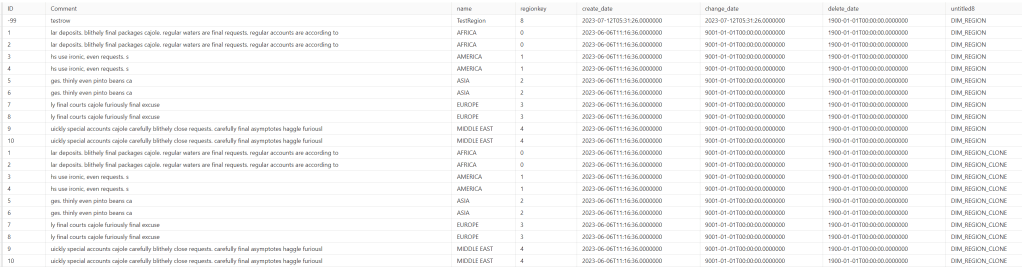
As you might be able to see (I’m guessing reading this on a phone won’t help you), the extra row got added to the DIM_REGION table but not the Clone. So yeah, the data in my clone was saved from my rogue update. But, where does this data live? Can I find the table in my OneLake explorer?
I haven’t been able to find much. I’ve seen the change in my data, shown by the extra json file in my region table folder structure:

And in some internal file structure that is exposed, I could see there is something else happening:

The file created at 07:22 might contain the information I’m looking for, but it’s 0kb and therefore empty. My uneducated guess is that a table clone under the covers is nothing else than a time travel query, like the ones you can run on spark using VERSION AS OF or TIMESTAMP AS OF. And the code doing might very well be saved somewhere out of our view ;).
Comparison
After getting to know both features, how do they compare (if at all)?
Well, the shortcut is just an efficient way to get a table from one Onelake, DataLake or S3 bucket into your shiny new clean OneLake. If data changes at the origin, it will change in your shortcut. The shortcut can be used in the Warehouse and the Lakehouse.
The Clone is Warehouse only and a snapshot in time of your source table. When the original table changes, your clone won’t.
Both are metadata operations and won’t add extra data to your OneLake and therefore add to your (albeit small) storage bill. Reading data however will incur costs.
The use cases really depend on your way of working. Clones can be very handy for testing, though there’s no way (yet) to hide sensitive data. I’d love if for testing or development purposes, clones can be made on a subset of data with sensitive columns encrypted. Clones can be handy for data recovery, a scenario could be to clone your most important tables, run the ETL process and when it’s all validated, drop the clones.
Thank for reading an happy cloning!
 Reitse's blog
One thought on “Microsoft Fabric: shortcuts and table clones”