

When I opened SSMS today (November 18th, 2026), I found that the wonderful team keeping this tool up to date and running has added some excellent updates. Updates that deserve more attention.
GitHub Copilot: bring your own model
First of all, you can now bring your own model to SSMS. You’re no longer dependent on what GitHub Copilot offers, nor on the token limit that comes with your subscription. You can host your own in Azure Foundry and pay for usage through your Azure bill. There will be guardrails there, of course.
I haven’t tested the full experience yet, but it feels very similar to the earlier Copilot implementation in SSMS, where you connect to Foundry, get the URL and API key to connect SSMS and the model.
Thousands separator
We can now set a thousands separator. To enable this, you have to work your way through a number of settings.
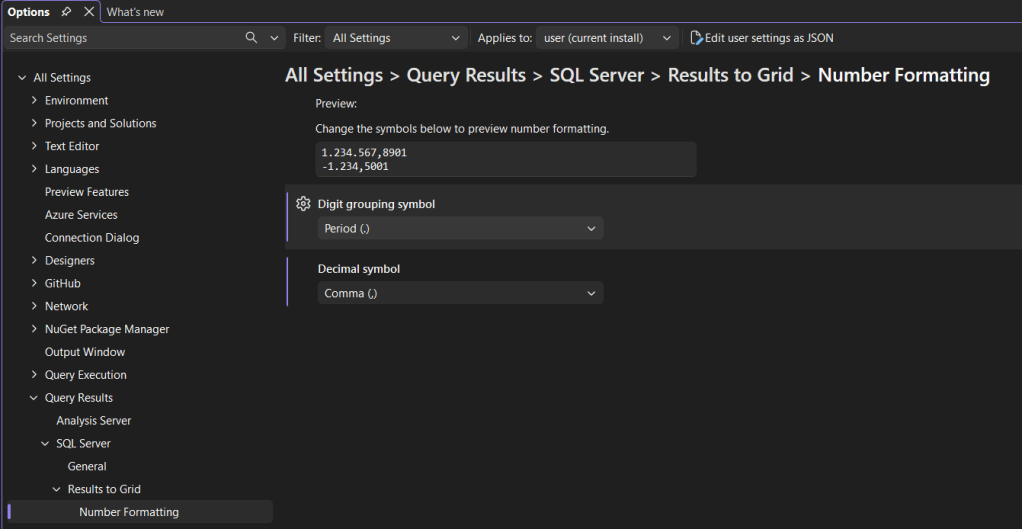
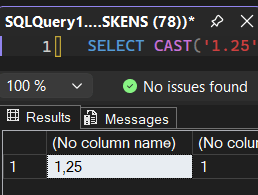
To test this, I created a very simple query, and look at the results!

I’m now seeing the comma as the decimal separator.
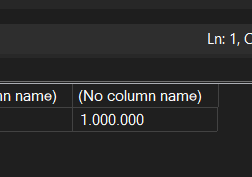
And the million is nicely separated as well
The combination works as well.
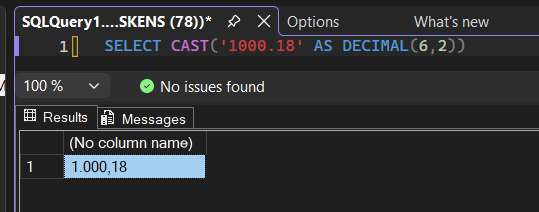
Maybe it’s silly to be enthusiastic about this, but here we are. It just makes our life a bit easier when checking data.
Work – close – reopen – continue
Yes, SSMS can now save the state of your tabs.
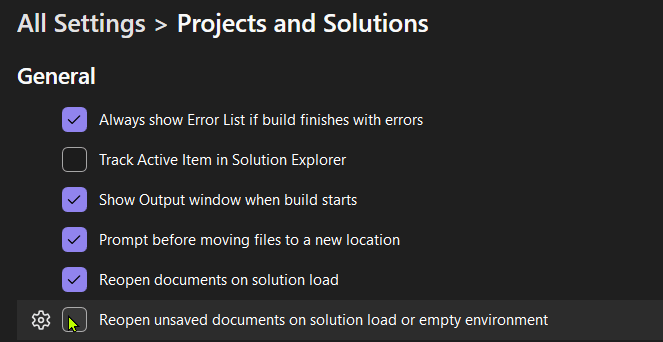
I love that they’ve made this an option that’s off by default. Not everyone will like this. And that’s fair. But if you’re used to, for instance, Visual Studio Code, where you can close the program and it opens up everything the way you left it, this is a very nice feature.
And more
But to see all the new things, I’d advise you to quickly update to version 22.12.1 and explore for yourself. Enjoy!
And thank you, Makena and team, for all the excellent work!


I’d missed that “unsaved documents” part. I often have “scratch” TSQL sessions going and have used Mladen’s code and SQL Prompt to handle “SQL History”, but just having the ability to “come back where I left off” is actually something valuable to me. I’ll have to check that out for the machines I don’t have either of those on. 🙂
And the digit separator – that’s definitely a nice to have thing. Not sure how that translates to copy/paste results, but visibly it’s helpful to see that order of magnitude more easily.
LikeLike