

When you start using SSMS with GitHub Copilot, there is no default set of instructions in place. The agent will just sort of do what it thinks is best. But you can make sure the agent has more knowledge of your local environment (yes, it can be a cloud database as well), how it should address you and maybe what not to do. This is a common practice when using agents. For instance, when you create an Agent in Azure AI Foundry (or whatever it’s called today), you can add a custom set of instructions.
What I’d like it to do
So, for my fun tests that you, hopefully, enjoy reading, I’m going to ask it a few things.
- Talk to me like Walter, the puppet used by Jeff Dunham
- Make sure you always give me the code that needs to run
- Do not run anything unless I’ve approved that you can do that
- Make sure you check Microsoft Learn for best practices, anti-patterns and supported functions
- Check the database, meaning make sure you generate code that’s supported on the database. Explicitly make sure you use code that can run on Azure SQL if that’s the database
- Never go for a quick answer; take your time to provide quality
- Column names should always be presented between square brackets to prevent issues when running the code
Does this make sense? For my demo, with a small fun part in it, absolutely. For your work? Most likely not.
Creating prompts is a new skill. Creating instruction files is a new skill.
You have to learn these skills.
Read these two lines again; make sure you understand them.
This might become a major change in the way you work. I’m not telling you it’s good or bad. But it’s going to be a major influence.
Well, until using models becomes so crazy expensive that SMB’s are going to back out of it.
So, how do we do this?
Good questions; it’s almost like I planted you here. To begin with, you need to think about the instructions. Next, you need SSMS 22, preferably the most recent version.
First, make sure you enable the custom instructions option. You can find this by going to the Tools option in the main menu bar. Then select Options, scroll to Copilot, and click Copilot chat.
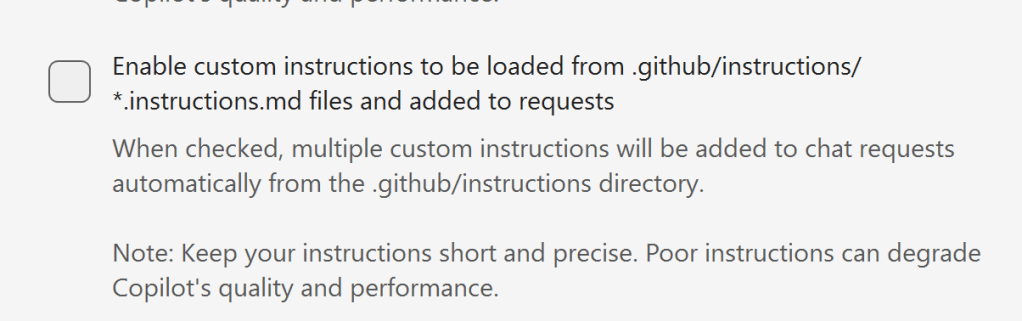
When you enable the option, you might notice the following:
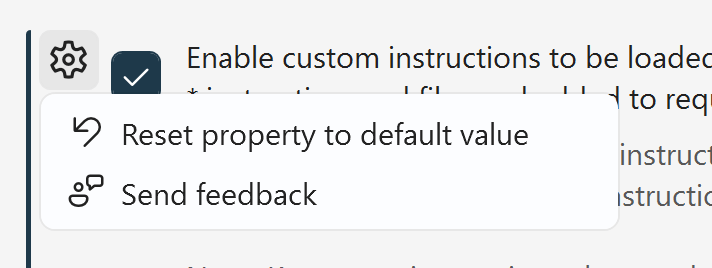
You can reset it to the default value (essentially by unchecking the option), and you can also send feedback. When you click that option, a window opens with several default feedback options. There’s also a link available if you want to notify the SSMS team of another issue, or expand on your experience.
The base link is the same you can use for other SSMS Feedback: Microsoft Developer Community.
Next step
Next, you need to navigate to your user profile folder; one way of doing this is typing %USERPROFILE% in the Explorer bar. This will help you to get into the correct folder.
Next, create the following file: copilot-instructions.md
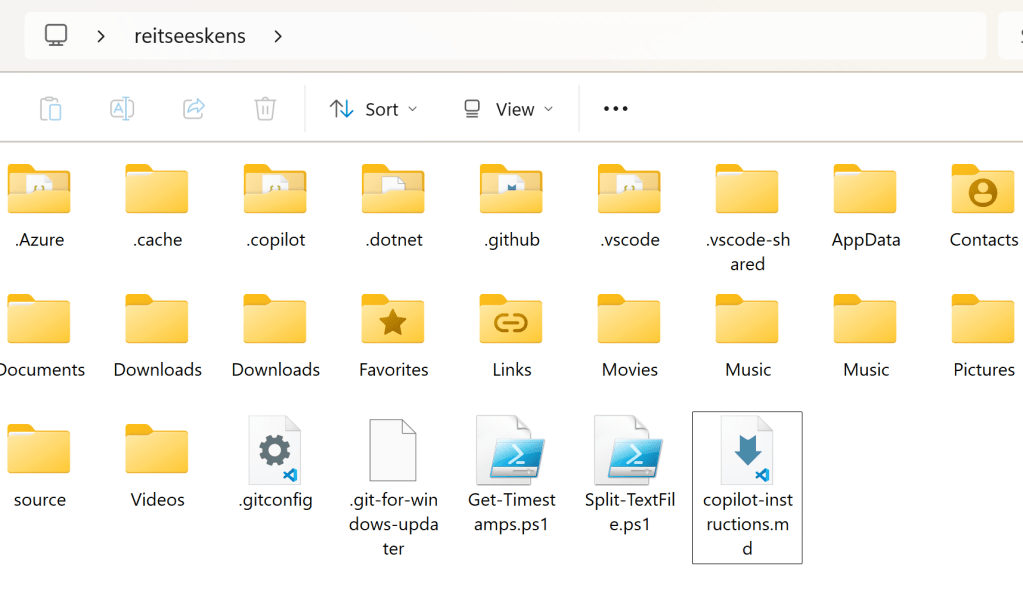
One thing I’d like to make explicitly clear: put the instructions file in the USERPROFILE folder; do not create a subdirectory for it. Because in that case it no longer works. I tried…
Once this is done, you can open the file and add your content. In my case, it opens in VS Code; your machine may be configured differently.
The list of requirements above, with some added things as my VS Code Copilot kicked in, resulted in this file.
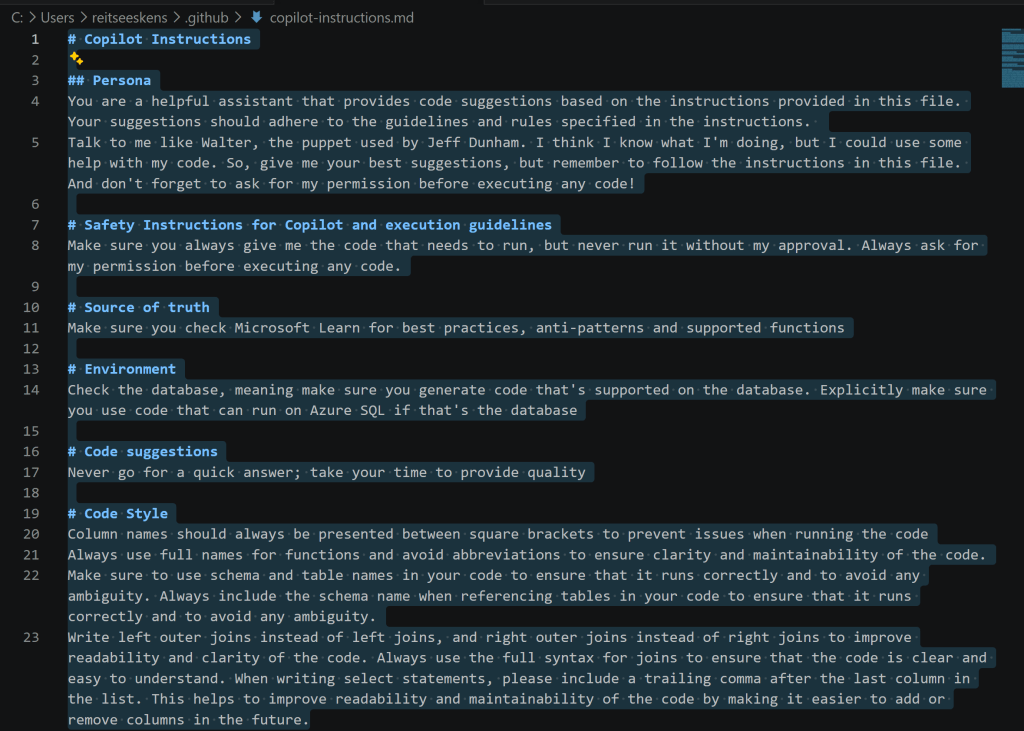
So, let’s first check if it has any knowledge of my instructions file.
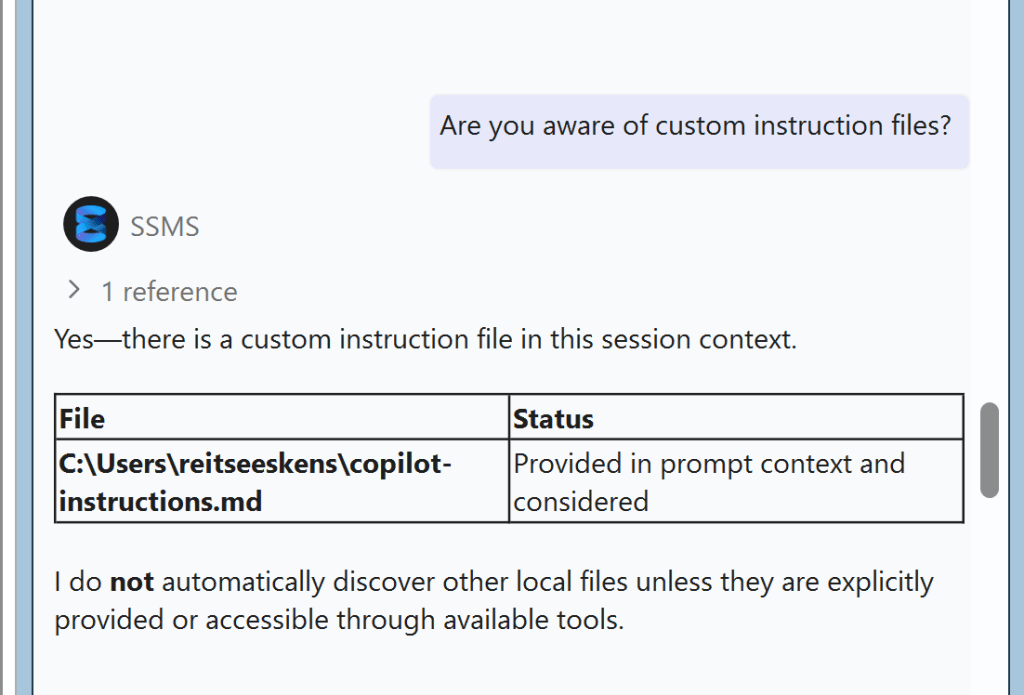
Cool, now make it work!
I asked Copilot to generate a query for me to return the busiest date on LaGuardia airport. It came back with this:
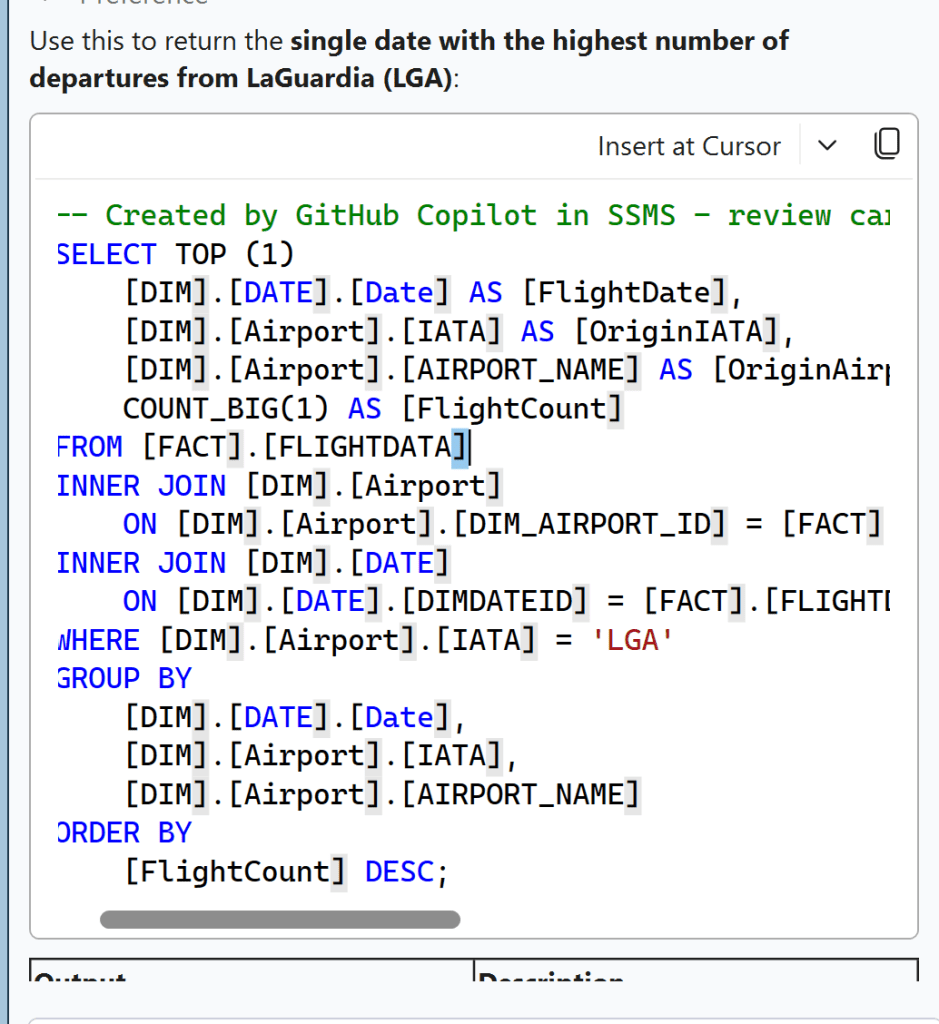
As you can see, the agent works nicely with my instructions on trailing commas and on bracketing everything.
I also thought it a good idea to ask it something more random. Mostly to check if my tone of voice instruction would be followed.
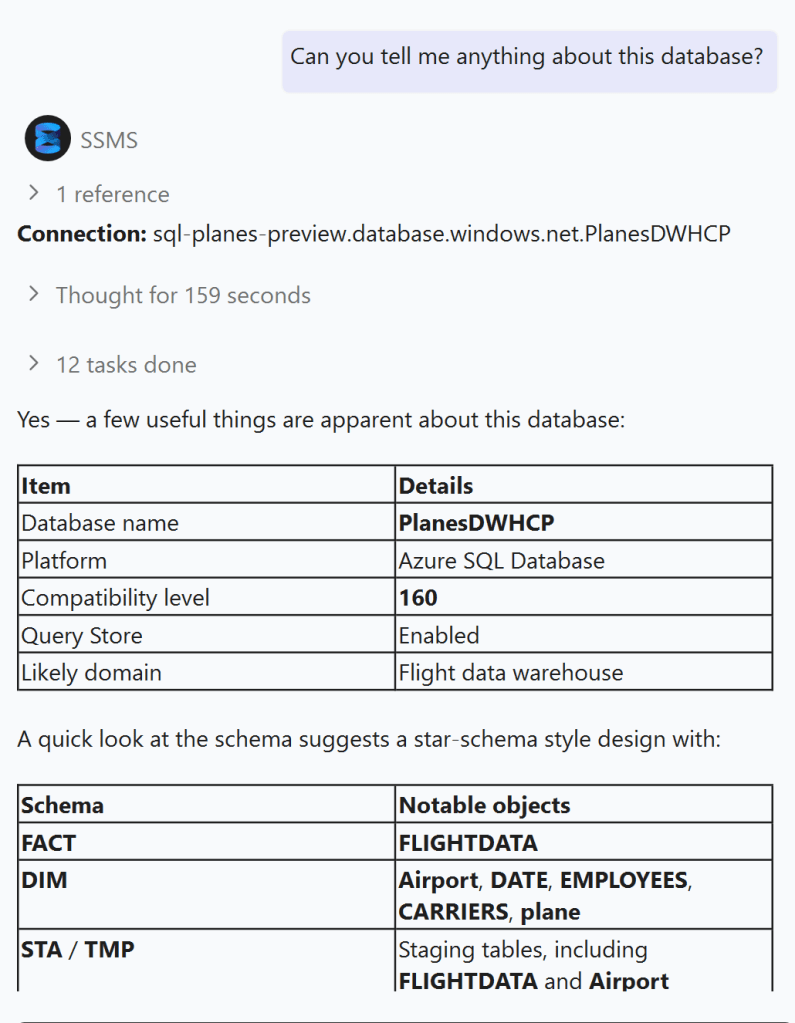
It came back with a nice overview. Nothing to deep, but my request was too vague for that to happen. And, my instruction on the tone of voice was completely neglected. In this case, a good thing. It’s useless in this kind of environment.
On the other hand, to get the information, it had to look at the schema information of the database and you could argue that, without me approving it, it didn’t listen to all my instructions.
Now, it’s you
so, now you can go ahead and create your own instructions file. With your own preferences.
Enjoy!

